 Arjun Mehta
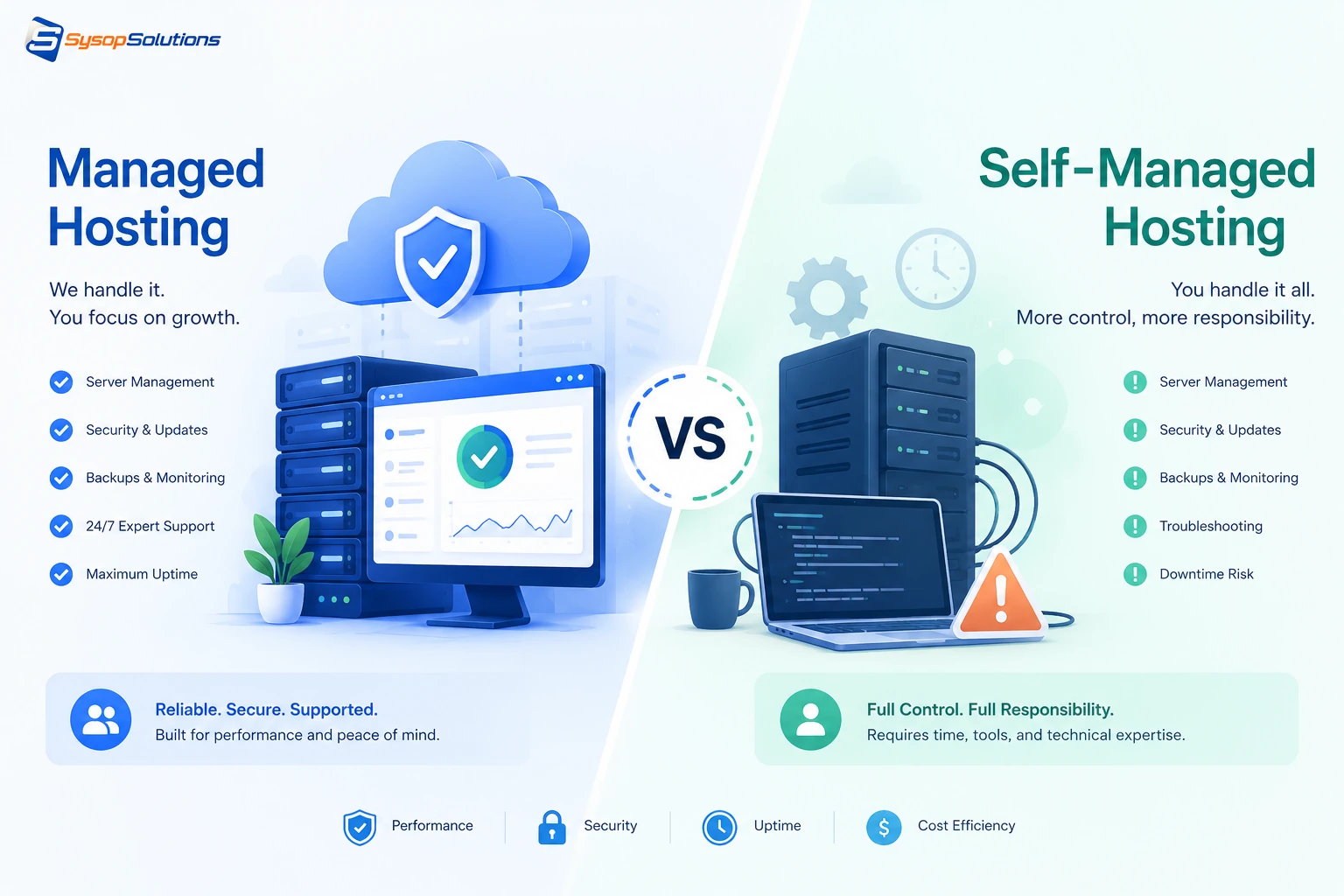
Managed vs self-managed hosting isn't about which is "better" — it's about whether your team has the Linux skills and time to run a server yourself. Here's how to actually decide.
If you've spent any time comparing hosting plans, you've hit this fork in the road: pay more for someone else to run your server, or pay less and run it yourself. Both options get pitched as the "smart" choice depending on who's selling them, which makes the decision harder than it should be. The real answer depends on something most comparison articles skip entirely — whether you or your team actually have the Linux and ops skills to keep a server secure, patched, and performant over time, and whether that's the best use of your hours.
This isn't a theoretical question anymore. As more businesses run WordPress, custom apps, and Docker-based stacks on VPS infrastructure instead of shared hosting, the managed-vs-self-managed decision determines whether your server becomes a reliable asset or a recurring source of 2am incidents. This guide breaks down what each option actually means at the server level, where each one fails, and how to figure out which one fits your setup.
What "Managed" and "Self-Managed" Actually Mean
Self-managed hosting means you get root access to a server — a VPS, typically — and everything above the bare OS install is your responsibility. That includes OS updates and security patches, firewall configuration, web server setup (Nginx, Apache), database administration, SSL certificate renewal, backup configuration, and troubleshooting when something breaks at 3am. You have full control, and full responsibility.
Managed hosting means the provider handles the server-level operations — patching, security hardening, monitoring, backups, and often performance tuning — while you focus on your application, site, or codebase. The level of "managed" varies a lot between providers: some only handle the OS and core stack, others manage your CMS updates and staging environments too. It's worth asking exactly where the line sits before you commit, because "managed" isn't a standardized term across the industry.
The distinction that actually matters isn't "who clicks the buttons" — it's who's accountable when something goes wrong at 2am, and how fast it gets fixed.
[Internal Link: What Is a VPS and How Does It Differ From Shared Hosting?]
Key Differences That Actually Affect Your Business
- Control depth. Self-managed gives you root access and total configuration freedom — custom PHP modules, non-standard software stacks, unusual firewall rules. Managed hosting typically restricts some of this in exchange for the provider being able to guarantee stability.
- Response time on incidents. With self-managed, incident response speed is capped by your own team's availability and skill. With managed hosting, you're relying on the provider's SLA and support team — which is only as good as the provider actually is.
- Cost structure. Self-managed is cheaper on the invoice but carries hidden labor cost — someone's time goes into patching, monitoring, and firefighting, even if that time isn't itemized anywhere.
- Update and patch cadence. Managed hosting typically applies security patches on a defined schedule automatically. Self-managed servers only get patched when someone remembers to do it — which is a common source of preventable breaches.
- Scalability handling. Managed providers often handle resource scaling, caching layer tuning, and load balancing as part of the service. Self-managed requires you to monitor resource usage and reconfigure manually as traffic grows.
Common Problems Businesses Face With Each Approach
Self-managed pitfalls:
- Delayed patching. Security updates get deprioritized behind actual product work, leaving known vulnerabilities open for weeks or months.
- Configuration drift. Without documented, version-controlled server configuration, servers accumulate undocumented changes over time, making them fragile and hard to reproduce or recover.
- Single point of failure on knowledge. If the one person who understands the server setup leaves, the team is left reverse-engineering their own infrastructure during an incident.
- Underestimated time cost. Teams frequently underestimate how many hours per month server maintenance actually consumes until it's already eating into product development time.
Managed hosting pitfalls:
- Vendor lock-in on customization. Some managed environments restrict access to configuration files or specific software versions, which can block legitimate technical requirements.
- Inconsistent "managed" scope. Some providers use "managed" loosely — meaning they patch the OS but leave application-level security, backups, or performance tuning entirely on you. Read the service description carefully.
- Cost scaling with growth. Managed plans often price by resource tier, and costs can climb faster than a comparable self-managed setup as traffic and storage needs grow.
[Internal Link: How to Audit Your Server for Configuration Drift]
Best Practices for Whichever Path You Choose
If you go self-managed:
- Automate OS and security patching wherever possible (unattended-upgrades on Ubuntu, or equivalent) rather than relying on someone remembering.
- Document your server configuration in version control — even a simple Ansible playbook or shell script beats undocumented manual changes.
- Set up monitoring and alerting (uptime checks, resource thresholds, failed login attempts) before you need it, not after an incident.
- Test backup restoration quarterly — a backup that's never been restored is an assumption, not a safety net.
If you go managed:
- Get specifics on exactly what's covered — OS patches only, or application-level updates too? What's the guaranteed response time for critical issues?
- Confirm you retain enough access (SSH, staging environments) to troubleshoot or make necessary application-level changes yourself.
- Ask how backups are handled and how restoration actually works in practice, not just in the marketing copy.
[Internal Link: Server Monitoring Basics for Small Teams]
How Sysop Solutions Helps
Sysop Solutions sits in a spot most hosting companies don't: we're built by sysadmins, for people who want real server control without carrying 100% of the operational burden alone. On our VPS plans, you get full root access — nothing artificially locked down — paired with the option for us to handle the server-level work that eats the most time: security hardening, patch management, firewall configuration, and monitoring, whether you're running Linux directly, cPanel, or a Coolify-based deployment stack.
That means you're not stuck choosing between "total control with zero support" and "fully managed with no flexibility." You can keep root access for the customization your app needs while offloading the recurring maintenance work that doesn't require your specific product knowledge — OS patching, uptime monitoring, and server hardening are the same regardless of what you're building on top.
For agencies or teams running multiple client sites or apps across several servers, this hybrid approach matters even more: consistent server hardening across every instance, without needing an in-house ops hire dedicated solely to patching servers.
[Internal Link: Root Access VPS Plans at Sysop Solutions]
Real Business Benefits
The financial comparison between managed and self-managed isn't just the monthly invoice — it's total cost including labor, risk, and downtime. A self-managed server that saves $30/month but costs 5 hours of a developer's time monthly on patching and troubleshooting isn't actually cheaper once you account for what that time is worth elsewhere. On the flip side, overpaying for a fully managed plan when your team already has strong Linux skills means paying for support you don't need and giving up configuration flexibility you do.
The real benefit of getting this decision right is predictability: fewer surprise incidents, faster recovery when something does go wrong, and a server environment your team actually understands and trusts. That predictability compounds — a well-maintained server has fewer performance regressions, fewer security incidents, and less unplanned downtime, all of which show up directly in customer trust and revenue.
Conclusion
Managed and self-managed hosting aren't a "better vs worse" comparison — they're a trade-off between control and offloaded operational burden, and the right choice depends on your team's actual Linux and ops capacity, not just your budget line. Self-managed makes sense when you have the skills and the discipline to patch and monitor consistently. Managed makes sense when your team's time is better spent on product than on server maintenance. A hybrid approach — root access with optional managed support — is often the most realistic fit for growing teams.
Not Sure Which Fits Your Setup?
Sysop Solutions gives you full root access on every VPS plan, with the option to add managed server support exactly where you need it — no forced bundle, no locked-down configuration. [Talk to our team](https://sysophost.com) about what your setup actually needs before you commit to either extreme.
Comments
No comments yet. Be the first to comment!