 Priya Nair
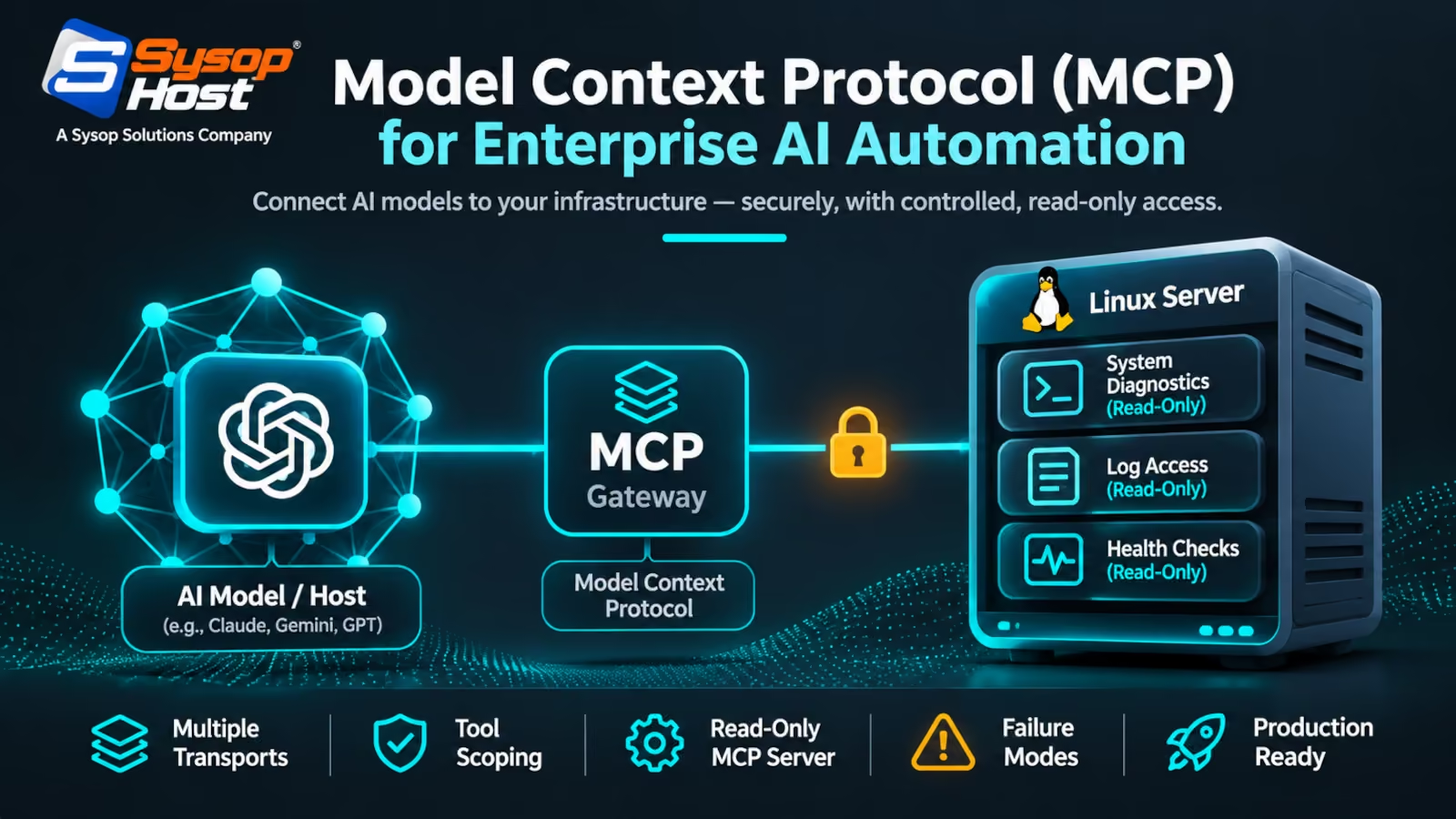
MCP is a wire format for exposing tools to models, not a security model and not an agent framework. This covers the two transports, the OAuth scoping rules that decide which tools a client can even see, a read-only diagnostics server you can run under systemd, and the failure modes that bite at 3 a.m.
At 02:40 the alert says a Node process is pinning four cores on a customer's VPS. The engineer on call can read journalctl, guess, or hand the logs to a model and ask what changed. The third option only works if the model can reach the machine through something narrower than a shell.
That narrowness is the point of the Model Context Protocol. MCP is a JSON-RPC wire format for exposing tools, data and prompt templates to a model host, and it is deliberately boring underneath: one request shape, one discovery call, one error object. What makes it interesting for infrastructure work is that the exposed surface is explicit. A server publishes three diagnostic tools, not a root prompt.
It is also not a security model. Nothing in the specification stops a badly written server from shelling out with model-supplied strings. Every guard rail you care about is implemented on the server side, which is exactly where a sysadmin's habits already live.
What the protocol standardises, and what it leaves to you
An MCP host (a desktop client, an IDE, a CLI agent) connects to one or more servers. Servers expose three primitives: tools the model can invoke, resources it can read, and prompts an operator can predefine [1]. Discovery is a tools/list call that supports pagination and caching, and clients get a listChanged notification when the set moves.
Two details in the spec matter operationally more than they look.
The first is that every request carries _meta fields including the protocol version, client info and client capabilities. When a client upgrades and a server does not, this is the field that tells you which side is stale.
The second is deterministic ordering. Servers should return tools in a stable order across requests, precisely so clients can cache the list and so the tool block in the model's context stays stable. A server that reshuffles its tool list on every call quietly destroys prompt-cache hit rates and inflates your input bill.
stdio on one box, Streamable HTTP across a fleet
The specification defines two transports.
stdio launches the server as a subprocess of the client. Messages are newline-delimited JSON-RPC on stdin and stdout, and the server must not write anything to stdout that is not a valid MCP message. Logs go to stderr. This is the right transport for a workstation, an on-call laptop, or a single-purpose sidecar, because there is no listening socket to defend.
Streamable HTTP is what you deploy on a VPS, usually a cloud hosting instance that also terminates TLS. The server exposes one endpoint path that accepts both POST and GET. Each client message is a fresh POST whose body is a single JSON-RPC request, notification or response, and the client must advertise both application/json and text/event-stream in its Accept header. A notification gets a bare 202. A request gets either one JSON object or an SSE stream, and the client has to handle both cases.
The specification also replaced the older HTTP+SSE transport from the 2024-11-05 revision, so any internal documentation still describing "MCP over SSE" is describing a deprecated shape. The Streamable HTTP transport keeps SSE as an optional streaming mechanism inside a POST response, which is where the confusion comes from.
Three requirements are non-negotiable once the endpoint faces a network. Validate the Origin header on every connection to stop DNS-rebinding attacks, bind to loopback when the server is only local, and authenticate every client. A remote MCP server with no auth is a remote shell with extra steps.
 Host (CLI agent / IDE)
        │  JSON-RPC 2.0 over Streamable HTTP, OAuth bearer
        ▼
 ┌──────────────────────────────┐
 │ Reverse proxy (TLS, Origin)  │
 └──────────────┬───────────────┘
                ▼
 ┌──────────────────────────────┐        ┌────────────────────┐
 │ MCP server (unprivileged)    │───────►│ read-only tool set │
 │  tools/list filtered by scope│        │ journalctl, ss, df │
 └──────────────┬───────────────┘        └────────────────────┘
                │ mutating tools behind approval
                ▼
        Host kernel, systemd units
The tool list is the permission boundary
Most MCP security advice says "add a human approval step". That is a control, not an architecture. The architecture is simpler: a client should not be able to see a tool it is not allowed to call.
The specification supports this directly. A server's tool list may vary by the authorization presented on the request, returning only the tools the caller's granted scopes permit, because credentials are per-request input rather than connection state [3]. Scope the token, and the surface shrinks with it. An on-call agent gets logs.read and service.status; the deploy bot gets service.restart; nobody's token carries both.
For HTTP transports, authorization is OAuth 2.1 based. A protected server implements OAuth 2.0 Protected Resource Metadata so clients can discover the authorization server, and answers unauthenticated requests with a 401 that carries a WWW-Authenticate header [4]. stdio servers should not attempt OAuth at all; they read credentials from the environment.
The practical rule that follows: run several small servers rather than one large one. A read-only diagnostics server on the monitoring VLAN, a deployment server that can restart units, and a database server with a read replica DSN are three different blast radii. Merging them into one process with broad sudo rights undoes every scoping decision above. Separate AI agent hosting environments per tier are a cheap way to keep those blast radii apart.
A read-only diagnostics server you can hand to a client
The Python SDK is the shortest path. Python 3.11 or newer, and the mcp[cli] extra gives you the inspector [5].
uv add "mcp[cli]"
uv run mcp dev server.py     # opens MCP Inspector
The server below exposes three tools and no shell. Note where the safety lives: an allowlist for unit names, a hard timeout on the subprocess, and psutil instead of parsing top.
import subprocess
import psutil
from mcp.server import MCPServer

mcp = MCPServer("linux-diagnostics")

ALLOWED_UNITS = {"nginx", "postgresql", "redis-server", "docker", "caddy"}


@mcp.tool()
def system_load() -> dict:
    """Return load averages, memory and root filesystem usage."""
    one, five, fifteen = psutil.getloadavg()
    mem = psutil.virtual_memory()
    disk = psutil.disk_usage("/")
    return {
        "cores": psutil.cpu_count(logical=True),
        "load": {"1m": one, "5m": five, "15m": fifteen},
        "memory_used_pct": mem.percent,
        "disk_used_pct": disk.percent,
    }


@mcp.tool()
def top_processes(limit: int = 5) -> list[dict]:
    """Return the busiest processes by CPU. limit is clamped to 1-20."""
    n = min(max(1, limit), 20)
    procs = []
    for p in psutil.process_iter(["pid", "name", "username", "cpu_percent"]):
        try:
            procs.append(p.info)
        except (psutil.NoSuchProcess, psutil.AccessDenied):
            continue
    procs.sort(key=lambda p: p["cpu_percent"] or 0, reverse=True)
    return procs[:n]


@mcp.tool()
def unit_status(unit: str) -> str:
    """Read systemd unit state. Only names on the allowlist are accepted."""
    if unit not in ALLOWED_UNITS:
        return f"unit '{unit}' is not on the allowlist"
    out = subprocess.run(
        ["systemctl", "status", f"{unit}.service", "--no-pager"],
        capture_output=True, text=True, timeout=5, check=False,
    )
    return (out.stdout or out.stderr)[:8000]
Three things in that file are deliberate. subprocess.run takes a list, never a string, so a model-supplied unit name cannot become a second command. The timeout is small because a tool that hangs holds the session. And the return value is truncated, because a model that receives 40,000 lines of systemctl status has effectively been DOSed.
Run it the way you run anything else that matters:
uv run mcp run server.py --transport streamable-httpUnder systemd, not in a tmux pane
An MCP server that dies with an SSH session is a demo. A unit file gives you restart behaviour, a dedicated account, and a filesystem view that excludes the things the tools do not need.
[Unit]
Description=MCP diagnostics server
After=network-online.target

[Service]
User=mcp-ops
Group=mcp-ops
WorkingDirectory=/opt/mcp
ExecStart=/opt/mcp/.venv/bin/mcp run server.py --transport streamable-http
Restart=always
RestartSec=3
NoNewPrivileges=true
PrivateTmp=true
ProtectSystem=strict
ProtectHome=true
ProtectKernelTunables=true
RestrictAddressFamilies=AF_INET AF_INET6 AF_UNIX
MemoryMax=512M

[Install]
WantedBy=multi-user.target
NoNewPrivileges plus a sudoers drop-in scoped to specific binaries is the combination that holds. On a Docker hosting plan the container boundary does part of that work, provided the socket is not mounted inside. Grant systemctl status * and journalctl -u *, not ALL. If a tool genuinely needs to restart a unit, that belongs on a separate server with its own token, so the read-only surface stays read-only [6].
Failure modes that show up in production
Token expiry mid-conversation. A one-hour bearer token in a two-hour agent run dies at minute sixty, and the host either re-authenticates or fails a tool call the model then retries three times. Short-lived tokens need refresh logic in the host, not optimism.
Unbounded tool output. The most common self-inflicted outage. Cap bytes at the server, summarise at the edge, and never return a raw log file.
Tool list churn. Adding, renaming or reordering tools changes the model's context block and the cached prefix with it. Version your tool names (logs_read_v2) and treat a rename as a breaking change.
Retry storms on mutating calls. A model that gets a timeout does not know whether the restart happened. Mutating tools need idempotency keys or a status endpoint the agent can poll, or you will get two deploys and a confused incident channel.
Injected instructions inside tool output. Log lines, commit messages, ticket bodies and HTTP headers are attacker-controlled text. A read-only server limits the damage to disclosure; a server with a restart tool turns a clever log line into an outage. Treat every tool result as untrusted input, and keep the mutating surface behind an approval that a human actually sees.
Tool sprawl. Accuracy drops as the menu grows. Ten well-described tools beat forty thin wrappers around every CLI on the box, and the descriptions are part of the interface: state units, ranges and side effects in the docstring, because that is what the model reads.
Put the agent behind a boundary you control
AI agent hosting with a private network, root access you actually hold, and engineers who will read the unit file with you.
See SysopHost AI agent hostingComments
No comments yet. Be the first to comment!