 Rohan Verma
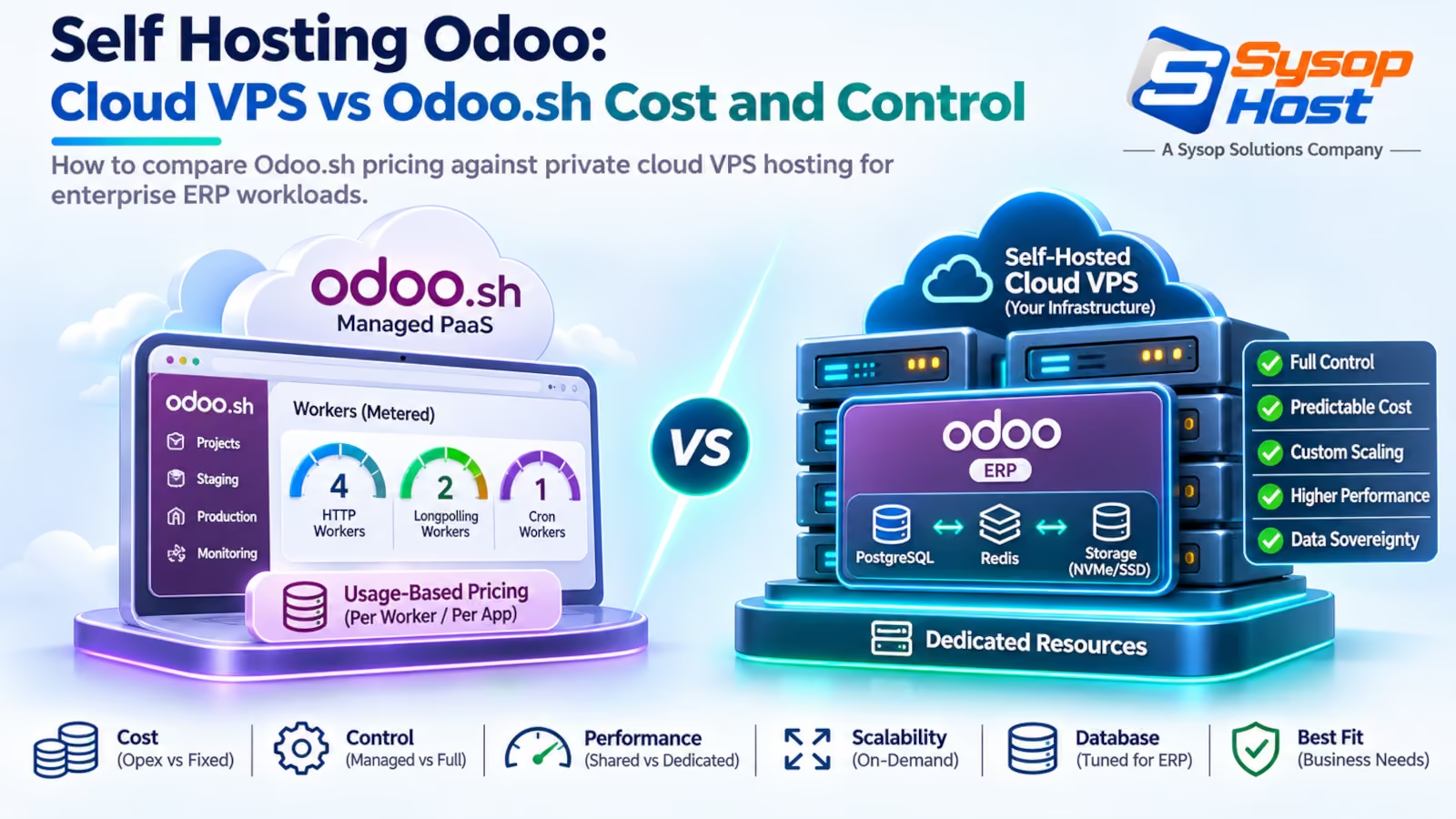
Choosing between Odoo.sh and a private cloud VPS comes down to worker mathematics and control. When an enterprise grows beyond twenty users and adds custom integrations, Odoo.sh pricing escalates rapidly. Review server specifications, maintenance overhead, and real cost trade-offs between both deployment models.
A wholesale distributor running thirty staff members on an enterprise ERP reaches the end of its first operating quarter. The software license fee is expected, but the hosting invoice produces sticker shock. Between extra worker allocations, a staging branch for their developer, and five hundred gigabytes of scanned invoices, their Odoo.sh bill has crossed twelve hundred dollars a month and is still climbing.
Once the invoice clears a thousand dollars a month, self hosting odoo on a private cloud VPS or dedicated bare metal becomes the obvious next move. Odoo.sh is an excellent developer platform for small teams prototyping custom modules. But as transaction volumes climb, its rigid pricing per worker, per branch, and per gigabyte turns into an expensive infrastructure tax.
Moving to private cloud hosting gives organizations complete control over PostgreSQL configuration, eliminates artificial worker limits, and dramatically reduces monthly hosting overhead [1]. Making that transition successfully requires understanding where the cost differences lie, what server specifications an active team demands, and the maintenance routines your staff must assume.
The pricing trap of tiered worker plans on Odoo.sh
Odoo.sh packages compute into three metered billing dimensions:
Workers: Dedicated background and web processes, billed per worker. Odoo publishes the current rate; check it before you quote a figure, because it moves.
Storage: Database and filestore disk space (billed in tiered GB increments).
Staging Branches: Test environments connected to GitHub branches (billed as fractional workers).
On paper, this sounds reasonable. In production, Odoo's architectural reality forces teams to purchase far more workers than expected.
A single web worker handles exactly one concurrent request at a time. If an accountant generates an inventory balance report that runs for eight seconds, that worker is completely blocked. If a second user runs a sales summary, and a third user clicks to open an invoice, requests begin queuing. Pages hang, browser spinners freeze, and employees complain that the ERP is down.
To fix the queuing, the company adds two more workers. Then their developer needs a staging branch to test an integration with a local shipping carrier, adding another worker charge. As product image galleries and customer PDF archives expand, storage tiers jump from 100 GB to 500 GB.
A setup that began at $200 a month quietly expands to $1,200 to $1,800 monthly, purely for hosting, separate from any user licensing fees paid to Odoo S.A.
Deployment Dimension | Odoo.sh (Official PaaS) | Self-Hosted Private Cloud VPS | Financial & Operational Impact |
|---|---|---|---|
Monthly Compute Cost (30 Users) | $650 - $1,450 / month | $80 - $180 / month | Private hosting saves $500+ monthly on compute alone; the top end is staging plus a large filestore. |
Worker Allocation Model | Hard limit (e.g., 4 to 8 workers max) | Unlimited (sized to total CPU cores and RAM) | Full hardware capacity available during peak accounting runs. |
Storage Pricing | Tiered pricing ($0.20+ per GB monthly) | Low-cost NVMe block storage | High savings for document-heavy filestores and PDF archives. |
Root Access & OS Control | No root access (restricted container) | Full root access to Debian/Ubuntu | Complete freedom to install system packages and custom daemons. |
Database Parameter Tuning | Locked PostgreSQL configuration | Tunable | High performance optimization for heavy database queries. |
Automated Staging Environments | Native GitHub integration (billed extra) | Scripted Docker clones or staging VPS | Native workflow convenience on Odoo.sh; manual setup on VPS. |
For organizations evaluating their operational spend, implementing FinOps solutions reveals that hosting accounts for over 40% of the long-term total cost of ownership on PaaS platforms.
Architecture comparison: shared PaaS versus dedicated cloud VPS
Understanding the performance difference requires examining the underlying system architecture.
Odoo.sh runs on containerized multi-tenant infrastructure. While containers provide process isolation, disk I/O and network interfaces frequently contend with other workloads running on the same physical host node. When an adjacent tenant on the physical server runs a massive database rebuild, your user interface can suffer sudden latency spikes.
A private cloud VPS or dedicated bare-metal server provides guaranteed resource boundaries.
Odoo.sh Architecture:
[User Browser] ──► [Odoo Routing Proxy] ──► [Shared Container / Fixed Workers]
                                                      │
                                                      ├──► Managed PostgreSQL (Restricted Settings)
                                                      └──► Shared Host Disk I/O

Self-Hosted Private Cloud VPS:
[User Browser] ──► [Nginx SSL Proxy] ──► [Odoo Multi-Processing (Gevent)]
                                                      │
                                                      ├──► Dedicated PostgreSQL (Custom Tuned)
                                                      └──► Dedicated NVMe Storage Array
On a private host running Debian or Ubuntu, you configure the exact operating environment:
Install native Linux utilities (such as
wkhtmltopdf, barcode scanner drivers, or specialized Python cryptographic libraries) without container restrictions.Configure a local Redis instance for high-speed session management and caching.
Place PostgreSQL on a dedicated internal socket connection, bypassing TCP network latency entirely.
Deploying on modern cloud hosting delivers predictable disk read and write speeds, which directly speeds up invoice printing and point-of-sale receipt generation.
Sizing CPU, RAM, and NVMe storage for real user counts
How much hardware does Odoo actually need?
The Odoo community and official technical documentation establish a clear mathematical formula for calculating multi-processing worker counts [2]:
Theoretical Workers=(CPU Cores×2)+1
Actual Web Workers=Theoretical Workers−1 (Reserved for Gevent Longpolling)
For example, a dedicated server with 4 CPU cores supports:
(4×2)+1=9 total workers (8 web workers + 1 gevent worker)
User concurrency sizing guide
In typical enterprise operations, not every registered user submits requests at the exact same millisecond. Concurrent active load generally represents 15% to 25% of total registered staff:
10 to 25 Active Staff: 4 vCPU cores, 8 GB to 16 GB RAM, 100 GB NVMe storage. Handles standard CRM, inventory dispatch, and invoice generation.
25 to 75 Active Staff: 8 vCPU cores, 16 GB to 32 GB RAM, 250 GB NVMe storage. Handles heavy manufacturing routes, automated stock replenishment, and multi-currency billing.
75 to 200+ Active Staff: 16 vCPU cores, 32 GB to 64 GB RAM, 500 GB+ NVMe storage, or a split two-tier architecture separating the Odoo application server from a dedicated PostgreSQL database host.
Sizing memory correctly is critical. If your server runs out of RAM during an end-of-month financial reconciliation, the Linux Out-Of-Memory (OOM) killer will terminate the main Odoo process. Allocating generous memory cushions on dedicated server hardware ensures stable background report processing.
Maintenance responsibilities: backups, updates, and staging clones
The primary value proposition of Odoo.sh is convenience: automated daily backups, push-to-deploy GitHub integration, and single-click staging clones.
When you choose self-hosting, your IT team or hosting provider assumes these operational duties.
# Automated nightly backup script using pg_dump and filestore compression
#!/usr/bin/env bash
set -euo pipefail

BACKUP_DIR="/var/backups/odoo"
DATE=$(date +"%Y%m%d_%H%M%S")
DB_NAME="production_odoo"

# 1. Dump PostgreSQL database with compression
pg_dump -Fc -U odoo -h localhost "${DB_NAME}" > "${BACKUP_DIR}/db_${DATE}.dump"

# 2. Archive the local filestore directory
tar -czf "${BACKUP_DIR}/filestore_${DATE}.tar.gz" -C /var/lib/odoo/.local/share/Odoo/filestore/ "${DB_NAME}"

# 3. Encrypt and sync to offsite immutable storage
rclone copy "${BACKUP_DIR}" remote-backup:odoo-archives/ --checksum
To maintain production stability, establish three operational pillars:
Automated offsite backup automation: A database snapshot on its own isn't enough. You must back up both the PostgreSQL database dump and the physical
filestoredirectory where PDFs, customer documents, and product images reside. Backups must be copied offsite to an isolated cloud location using structured backup and disaster recovery services.Staging clones on demand: Before installing a new module from the Odoo Apps marketplace or updating community source code, duplicate your production database into a staging instance (
staging.yourcompany.com) to verify that data migrations complete without errors.OS and security patching: Maintain unattended security upgrades on your base Linux OS and enforce strict firewall rules blocking public access to database ports.
When Odoo.sh remains the sensible operational choice
Self-hosting is mathematically superior for mature companies with technical capacity, but it isn't the right answer for everyone.
Odoo.sh remains the superior choice in these scenarios:
Teams with zero Linux sysadmin experience: If your organization lacks an internal developer, DevOps engineer, or managed infrastructure partner, managing Linux system libraries and database vacuum schedules will distract from business operations.
Rapid prototype and customization development: If an external agency is building custom modules from scratch, Odoo.sh's integrated web editor, GitHub continuous integration pipelines, and automated branch testing accelerate early development cycles.
Small companies with light transaction volume: A boutique consultancy with five users tracking occasional invoices will spend less than $100 a month on Odoo.sh. The engineering time required to configure and monitor a private server would negate the financial savings.
For companies with more than twenty active users, custom third-party integrations, or heavy document archives, self-hosting on private cloud servers provides substantial performance and financial benefits.
Migration blueprint: moving from Odoo.sh to a private cloud instance
Transitioning an existing database from Odoo.sh to a private cloud VPS is a standardized, predictable process [3].
Follow this phased checklist:
Phase 1: Download Master Backup from Odoo.sh Portal (.zip containing dump.sql + filestore)
       │
Phase 2: Provision Cloud VPS & Install Clean Target Odoo Environment
       │
Phase 3: Restore Database & Filestore (psql for the SQL text, unzip to /var/lib/odoo)
       │
Phase 4: Run Database Integrity Audit & Update Modules (`odoo-bin -d <db> -u all --stop-after-init`)
       │
Phase 5: Cutover DNS & Terminate Odoo.sh Subscription
Step 1: Export the full backup archive
From the Odoo.sh web dashboard, navigate to your production branch, select the Backups tab, and choose "Download full backup (with filestore)". This produces a single .zip archive containing the PostgreSQL database dump (dump.sql) and the complete attachment filestore.
Step 2: Restore to your private server
Transfer the archive to your target cloud server and extract the components:
# Unzip backup contents
unzip odoo_backup_production.zip -d /tmp/odoo_restore

# Restore database to local PostgreSQL instance
createdb -U odoo -h localhost production_odoo

# dump.sql is plain SQL text, so it goes through psql, not pg_restore.
# pg_restore only understands the custom (-Fc) and directory formats.
psql -U odoo -h localhost -d production_odoo -f /tmp/odoo_restore/dump.sql

# If the archive happens to contain a custom-format dump instead:
# pg_restore -U odoo -h localhost -d production_odoo /tmp/odoo_restore/dump.dump

# Relocate the filestore directory
mkdir -p /var/lib/odoo/.local/share/Odoo/filestore/production_odoo
cp -r /tmp/odoo_restore/filestore/* /var/lib/odoo/.local/share/Odoo/filestore/production_odoo/
chown -R odoo:odoo /var/lib/odoo/.local/share/Odoo/filestore/
Step 3: Module verification and cache rebuild
Start Odoo with the module update flag to verify schema alignment and recompile web assets:
sudo -u odoo odoo-bin -c /etc/odoo.conf -d production_odoo -u base,web --stop-after-initOnce asset compilation completes without errors, route production traffic through Nginx, issue an automated Let's Encrypt SSL certificate, and point your DNS records to the new host. The migration preserves all historical records, customer quotes, journal entries, and custom Studio fields without disruption.
Run your enterprise ERP on high-performance cloud infrastructure
SysopHost provides dedicated NVMe cloud VPS, dedicated bare metal, and 24/7 engineer support to deploy, tune, and scale Odoo without restrictive worker fees or performance bottlenecks.
Explore Cloud VPS HostingComments
No comments yet. Be the first to comment!