 Rohan Verma
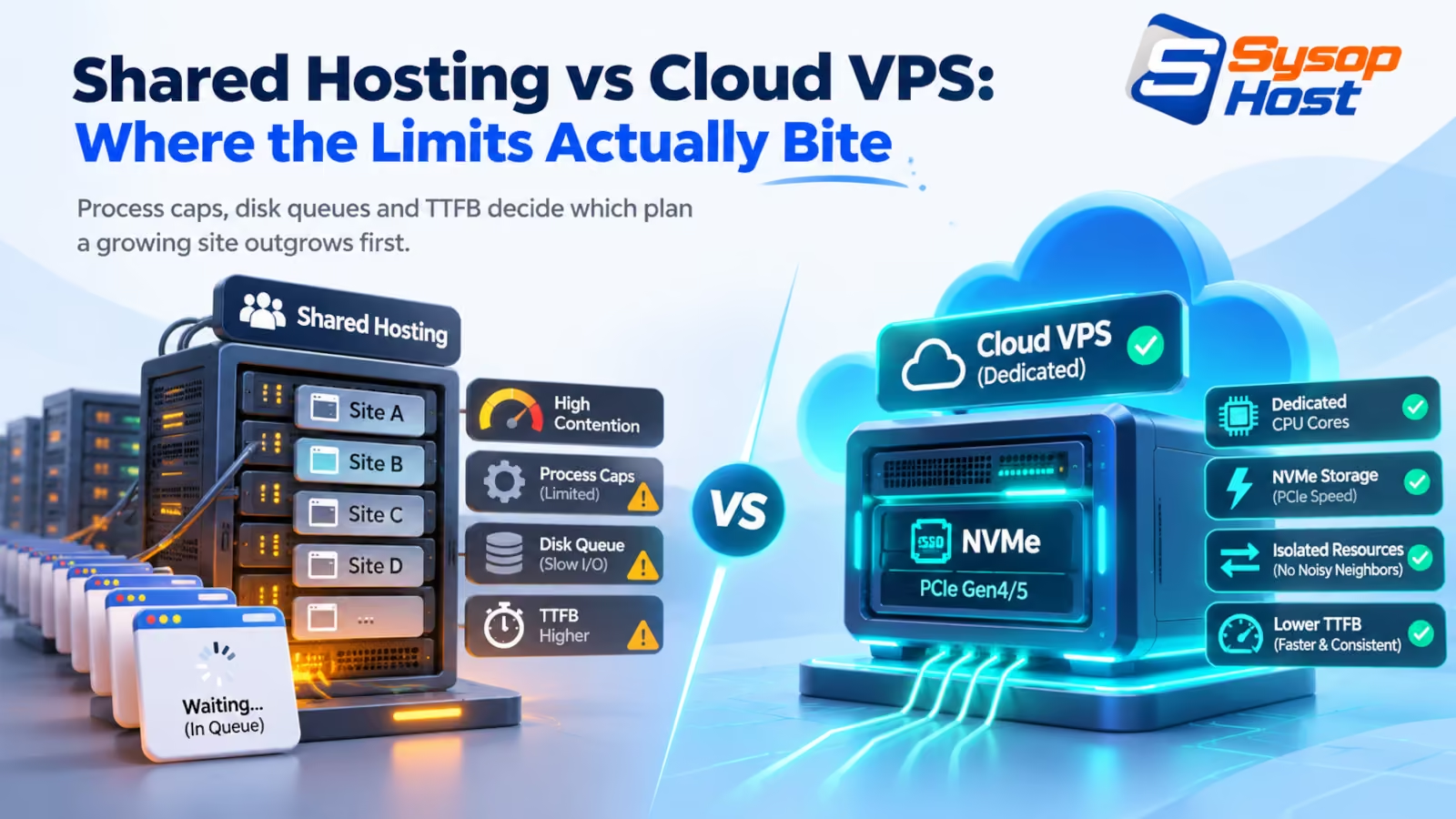
The shared hosting vs cloud VPS argument is usually settled with benchmark screenshots. It is better settled by asking which limit your site hits first. This piece walks through process caps, disk queue behaviour and the TTFB numbers that decide whether a page passes Core Web Vitals, then says plainly when a shared account is still the right call.
A WooCommerce store on a six-dollar shared plan runs a noon flash sale and gets 508 errors for eleven minutes. The owner assumes a traffic problem. The logs show a process limit: the account hit its concurrent PHP ceiling while the physical server was barely working. That is the shared hosting vs cloud VPS argument in one incident. Not speed, not storage, but which limit the account reaches first.
Shared hosting is not a scam, and it is not dead. It is a specific product with a specific ceiling, and the ceiling is set by how many accounts the provider has sold onto one machine.
What a shared account actually allocates
On a shared plan you get a directory, a database, and a slice of a pool. The kernel, the web server, the PHP binary, and the database service belong to the host. Everyone on that machine uses the same ones.
To stop one account starving the others, providers apply per-account limits. CloudLinux's LVE layer is the best-known example: it caps CPU share, memory, concurrent processes, and disk I/O per account, and CageFS keeps each account's filesystem view separate. That is a sane design. It is also why two sites on the same hardware can behave completely differently.
The limit you notice first is almost always concurrency, not bandwidth. Storage rarely fills, and traffic allowances are generous. The number of requests the account can process at the same moment is small, and it does not grow when your marketing does.
The process cap is the real ceiling
PHP runs as a pool of worker processes. Each worker handles one request at a time, so the pool size sets the maximum number of pages the server can render simultaneously. That pool is configured with pm.max_children for PHP-FPM, and the value is a hard ceiling: request 31 waits for a free worker when the pool holds 30 [5].
On a shared account you do not control that number. The host sets it once for the whole server, usually to something conservative, because 200 accounts share the same memory. On a VPS you set it yourself, based on how much RAM each worker actually uses.
This is why the 508 shows up during a sale and not during a quiet Tuesday. Concurrency is spiky. Average traffic is a comfortable lie.
A cached page skips PHP entirely, which is why page caching hides the problem for months. Then someone adds a cart, a logged-in area, or a stock-check endpoint, and every one of those requests needs a worker again.
Disk queues, and the neighbour you never meet
Dynamic pages are database reads. A single WordPress request can issue dozens of queries, and every query that misses the cache touches storage. Shared hosting has historically run those queries against spinning disks or SATA SSDs, where the AHCI protocol exposes one command queue, 32 commands deep. When fifty queries arrive together, they queue.
NVMe drives were designed around many parallel queues, so concurrent reads do not form a single line. The practical difference is not peak throughput on a spec sheet. It is what happens to the ninetieth percentile when a neighbour's nightly backup starts.
That neighbour is the other half of the story. On shared infrastructure, another account's traffic spike, unindexed query, or bot flood consumes the same CPU, memory, and disk. Your page gets slower because of work you did not do. A Cloud VPS puts a hypervisor between you and everyone else, so the noisy neighbour problem becomes a billing problem: you run out of your own resources, on your own schedule.
What TTFB tells you, and what it hides
Time to first byte measures the gap between the request and the first byte of the response, including DNS, connection setup, TLS, and the server's own processing time [1]. HTTP Archive's 2024 Web Almanac puts the good threshold at 800 ms and reports that only 42% of mobile pages met it in 2024 [3]. Sites with poor Largest Contentful Paint spent 2.27 seconds in TTFB alone, against a 2.5-second LCP target [3][4].
Both thresholds come from Google's Core Web Vitals guidance, which scores a page at the 75th percentile of visits rather than the average [2].
Read that again. The server's thinking time can consume almost the entire LCP budget before a single image loads. For a store, that is the difference between a page that paints in under a second and one that feels broken on a phone.
TTFB also hides the cause. A slow first byte can come from the network, a saturated worker pool, or a query plan that changed after the last plugin update. On shared hosting you can measure the number but you cannot see the machine. On a VPS you can open slow_query_log, watch iostat, and count workers. Diagnosis is the underrated half of performance work.
When a shared account is still the right answer
The part most hosting articles skip: if your site serves a few thousand visits a month, runs WordPress with a good cache plugin, and nobody on the team wants to own a Linux box, a shared plan is cheaper and safer than a VPS you patch yourself. It comes with support, backups, and a control panel. Moving to a server you have to secure, monitor, and back up is a downgrade in that situation, not an upgrade.
A VPS starts to pay when one of these is true:
The site takes money. A checkout that fails under load costs more than the hosting difference in a single afternoon.
You need root: a specific PHP extension, a daemon, a Node service, or a cron job the panel will not allow.
You host client sites and need isolation between them.
You are chasing Core Web Vitals and the server, not the front end, is the bottleneck.
You need an IP address with a reputation you control, usually for email.
Sizing the move without overbuying
Most first VPS migrations are overspecced. A typical brochure site with caching needs very little. A WooCommerce store with 40 concurrent shoppers needs enough RAM to hold its worker pool plus the database buffer pool, and enough NVMe headroom for query bursts.
Dimension | Shared hosting | Cloud VPS |
|---|---|---|
Kernel and OS updates | Host | You, or your managed provider |
CPU and memory | Burstable, capped per account | Allocated to your instance |
Storage path | Often shared SATA or HDD-backed | NVMe with parallel queues |
PHP concurrency | Fixed by the host | You set |
Root access | No | Yes |
Isolation | Account-level (LVE, CageFS) | Hypervisor-level |
Backups | Included, restore process opaque | Your job, or part of the plan |
Fits | Brochure sites, blogs, low-traffic shops | Stores, apps, agencies, anything with a login |
Same request, different queue

Shared host:   request → shared worker pool (capped) → shared storage queue
Cloud VPS:     request → your worker pool (sized by you) → your NVMe queue
Migrating without losing rankings
The migration itself is boring if you sequence it properly. Lower the DNS TTL to 300 seconds at least 48 hours ahead. Build the site on the new server, test it through a hosts-file entry or a staging subdomain, then switch. Keep URL structure identical, and keep a redirect map for anything that has to change. Our walkthrough of cloud-to-cloud migration without downtime covers the cutover checklist in detail.
Then measure. Compare TTFB before and after with the same tool, on the same connection, at the same time of day. If the number did not move, the bottleneck was never the host, and the case for why website speed matters for SEO is worth re-reading before you buy more CPU.
For most teams that outgrow a shared account, an NVMe-backed cloud hosting plan with room to set your own worker pool is the smallest change that fixes the actual problem. The shared hosting vs cloud VPS decision is not about which is faster in a benchmark. It is about whether you can see and change the limit that is stopping you.
Move to an NVMe Cloud VPS when the shared ceiling arrives.
Set your own worker pool, run the web server you want, and watch the metrics yourself on SysopHost cloud hosting, backed by 99.99% infrastructure uptime.
Compare SysopHost cloud hostingComments
No comments yet. Be the first to comment!