 Priya Nair
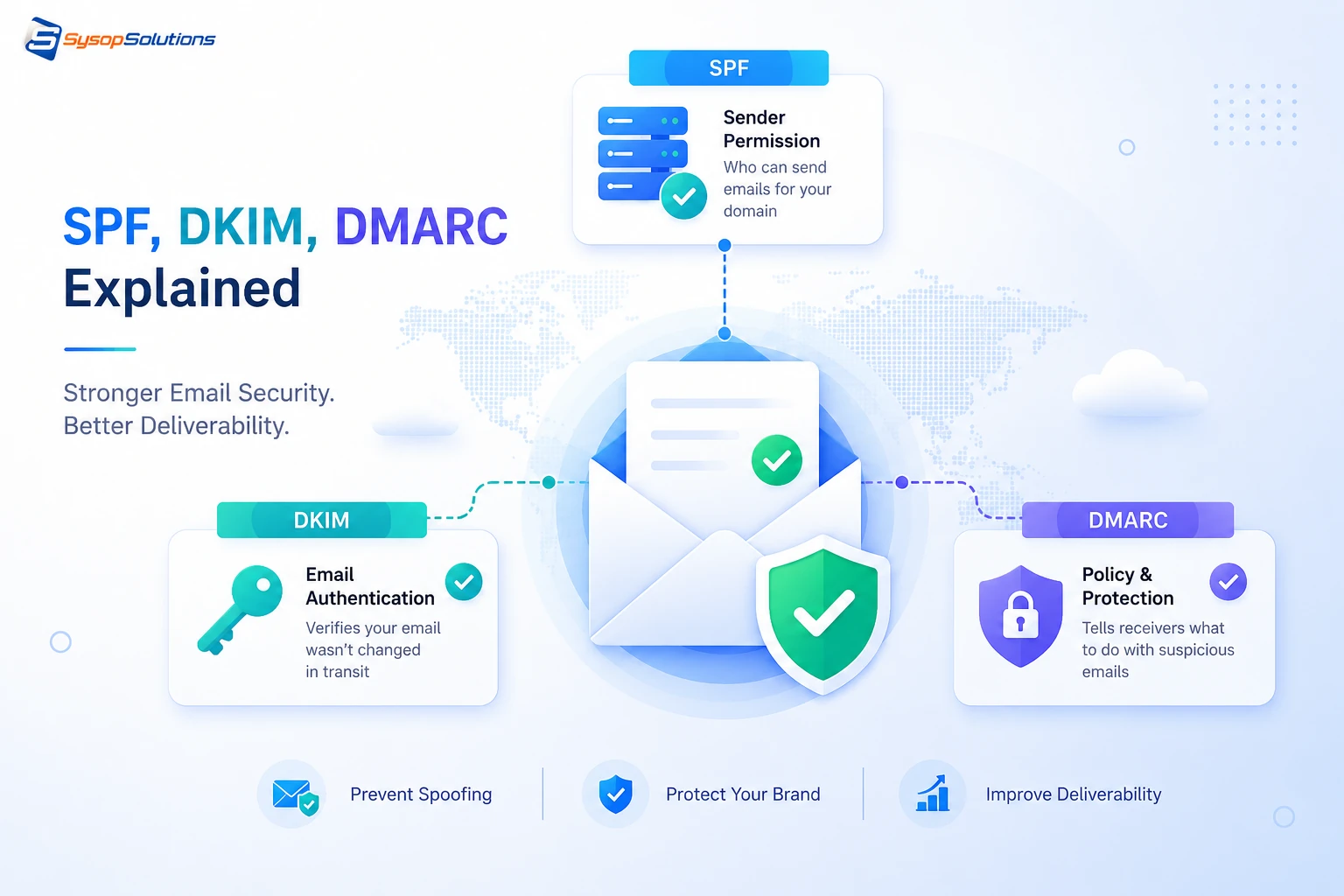
Emails landing in spam or your domain being spoofed almost always traces back to missing or broken SPF, DKIM, and DMARC records. Here's what each one does and how to set them up correctly.
If your business emails are landing in spam folders, or worse, someone's been sending fake emails that appear to come from your domain, the root cause is almost always the same: missing or misconfigured SPF, DKIM, and DMARC records. These three DNS-based protocols are what mail servers actually check before deciding whether your email is legitimate, and getting them wrong doesn't just hurt deliverability — it leaves your domain open to being spoofed by anyone who wants to send phishing emails that look like they came from you.
This has gotten more urgent recently. Gmail and Yahoo tightened their bulk sender requirements, and mail providers across the board have gotten stricter about enforcing these records before an email even reaches an inbox. If you're running your own mail server, sending transactional email from an app, or just sending regular business email through a provider, understanding what SPF, DKIM, and DMARC actually do — and setting them up correctly at the DNS and server level — isn't optional anymore. This guide breaks down what each one does, how they work together, and where most setups get it wrong.
What SPF, DKIM, and DMARC Actually Do
These three protocols work together, but they each check something different, and understanding the distinction matters for troubleshooting.
SPF (Sender Policy Framework) is a DNS TXT record that lists which mail servers are authorized to send email on behalf of your domain. When a receiving mail server gets an email claiming to be from yourdomain.com, it checks the SPF record to see if the sending server's IP is on the approved list. If it's not, the email fails SPF — and depending on your policy, gets flagged, quarantined, or rejected.
DKIM (DomainKeys Identified Mail) adds a cryptographic signature to outgoing emails, generated using a private key on your mail server and verified using a public key published in your DNS. This proves the email content wasn't tampered with in transit and that it actually originated from a server holding your private key — something SPF alone can't verify, since SPF only checks the sending IP, not the message content's integrity.
DMARC (Domain-based Message Authentication, Reporting & Conformance) ties SPF and DKIM together and tells receiving mail servers what to do when a message fails either check — reject it, quarantine it, or let it through, plus it optionally sends you reports on emails claiming to be from your domain that fail authentication. DMARC is the policy layer; SPF and DKIM are the checks it relies on.
Without DMARC, SPF and DKIM can technically pass or fail with no consistent enforcement — a receiving server might reject a failing email, or might not, depending entirely on its own rules. DMARC is what makes the enforcement consistent and gives you visibility into abuse of your domain.
[Internal Link: How DNS Records Work and Why They Matter for Email]
How Each Protocol Works in Practice
- SPF record example: v=spf1 include:_spf.google.com ip4:203.0.113.10 ~all — this authorizes Google's mail servers and a specific IP, with ~all indicating a soft fail for anything else (flag but don't hard-reject).
- DKIM setup requires generating a public/private key pair on your mail server or provider, publishing the public key as a TXT record at a selector-specific subdomain (e.g., selector1._domainkey.yourdomain.com), and configuring your mail server to sign outgoing messages with the private key.
- **DMARC record example:** v=DMARC1; p=quarantine; rua=mailto:[email protected]; pct=100 — this tells receivers to quarantine (send to spam) any message failing SPF or DKIM alignment, and sends aggregate reports to the specified address.
- **Alignment matters, not just pass/fail.** DMARC checks whether the domain in the "From" header aligns with the domain that passed SPF and DKIM — a message can technically pass SPF and DKIM for a different domain and still fail DMARC if the visible sender domain doesn't match.
- **DMARC reports are genuinely useful for security, not just deliverability.** Aggregate reports show you every server sending email claiming to be from your domain, which is often the first sign that your domain is being used in a phishing campaign you didn't know about.
Real-world example: a business switched from p=none (monitor only) to p=quarantine in their DMARC policy after reviewing reports and discovering an unauthorized third-party marketing tool had been sending email as their domain without proper authentication for months — invisible until DMARC reporting surfaced it.
Common Problems Businesses Face
Starting with an enforcement policy instead of monitoring. Jumping straight to p=reject before confirming every legitimate sending source (your CRM, marketing platform, transactional email service) is properly authenticated will silently break real email. Start with p=none to gather reports, then move to quarantine, then reject once you've confirmed everything legitimate passes.
**Multiple services sending as your domain without unified SPF coverage.** Every third-party tool sending email on your behalf — a CRM, a marketing platform, a helpdesk — needs to be included in your SPF record or authenticated via DKIM. Missing one is one of the most common causes of legitimate email failing authentication.
**SPF record exceeding the 10 DNS lookup limit.** SPF has a hard limit of 10 DNS lookups during evaluation; each include: mechanism counts, and businesses using several third-party senders can hit this limit, causing SPF to fail entirely regardless of whether the sending server is legitimate.
**No DMARC reporting review.** Setting up DMARC and never looking at the aggregate reports means you're missing the actual value of the protocol — visibility into who's sending email as your domain, legitimate or not.
**Subdomain gaps.** DMARC policies can be configured differently for subdomains sp= tag), and businesses often protect their root domain while leaving subdomains — a common target for spoofing — unprotected.
[Internal Link: Auditing Your SPF Record for Third-Party Senders]
## Best Practices for Setting Up Email Authentication
- **Implement all three together**, not just one or two — SPF and DKIM alone without DMARC leave enforcement inconsistent across receiving servers.
- **Start DMARC at p=none** and monitor reports for at least a few weeks before moving to quarantine, then eventually reject.
- **Audit every service sending email as your domain** before tightening enforcement — transactional email platforms, marketing tools, helpdesk software, and your primary mail provider all need explicit authorization.
- **Use DKIM key rotation** periodically (most providers support this) rather than leaving the same key pair in place indefinitely.
- **Monitor SPF lookup count** if you're using multiple include: mechanisms, and consolidate where possible to stay under the 10-lookup limit.
- **Set a subdomain policy explicitly** in your DMARC record rather than leaving subdomains implicitly covered by the root domain policy, which can create gaps.
- **Review DMARC aggregate reports regularly** — monthly at minimum — since they're your primary signal for both deliverability issues and domain spoofing attempts.
[Internal Link: DMARC Reporting Tools and How to Read Aggregate Reports]
How Sysop Solutions Helps
Setting up SPF, DKIM, and DMARC correctly requires the same server and DNS-level precision as everything else we handle at Sysop Solutions. Whether you're running your own mail server on a VPS or sending transactional email from an application we host, we configure DNS records correctly the first time — SPF entries that account for every legitimate sending source, DKIM key generation and signing configured at the server level, and a DMARC rollout plan that moves from monitoring to enforcement without breaking legitimate mail along the way.
Because we work directly at the Linux and server administration layer, we're not just handing you documentation and leaving you to configure DNS records yourself — we set up the mail server configuration, DNS zone files, and DKIM signing together as one coherent setup, and we catch issues like SPF lookup limits or subdomain gaps before they cause deliverability problems.
For businesses running multiple domains or subdomains — common for agencies managing client sites — we help standardize email authentication across all of them consistently, rather than treating each domain's DNS as a separate, one-off task.
[Internal Link: Server-Level Email Configuration and DNS Management]
Real Business Benefits
Properly configured SPF, DKIM, and DMARC directly improve email deliverability — inbox placement rates improve measurably once major providers like Gmail and Outlook can consistently verify your domain's authenticity, versus flagging or spam-filtering unauthenticated mail. For businesses relying on transactional email (password resets, order confirmations, invoices), deliverability failures translate directly into support tickets and lost revenue when customers never receive time-sensitive messages.
On the security side, DMARC reporting gives you visibility into domain spoofing attempts you'd otherwise never know about — phishing campaigns using your domain damage customer trust and your sender reputation even when your own systems were never compromised. Catching and reporting that abuse early, and moving toward a reject policy, closes off that attack vector before it does lasting reputational damage.
Conclusion
SPF, DKIM, and DMARC aren't optional email hygiene anymore — they're the baseline for reliable deliverability and protection against domain spoofing, and the three protocols only work properly when configured together with a deliberate rollout from monitoring to enforcement. Most deliverability and spoofing problems trace back to an incomplete or misconfigured setup, not some novel attack technique, which means most of them are entirely preventable with the right DNS and server configuration.
Ready to Fix Your Email Authentication Setup?
Sysop Solutions configures SPF, DKIM, and DMARC correctly at the DNS and server level — accounting for every legitimate sender, with a rollout plan that won't break your existing mail flow. [Talk to our team](https://sysophost.com) about locking down your domain's email authentication properly.
Comments
No comments yet. Be the first to comment!