 Arjun Mehta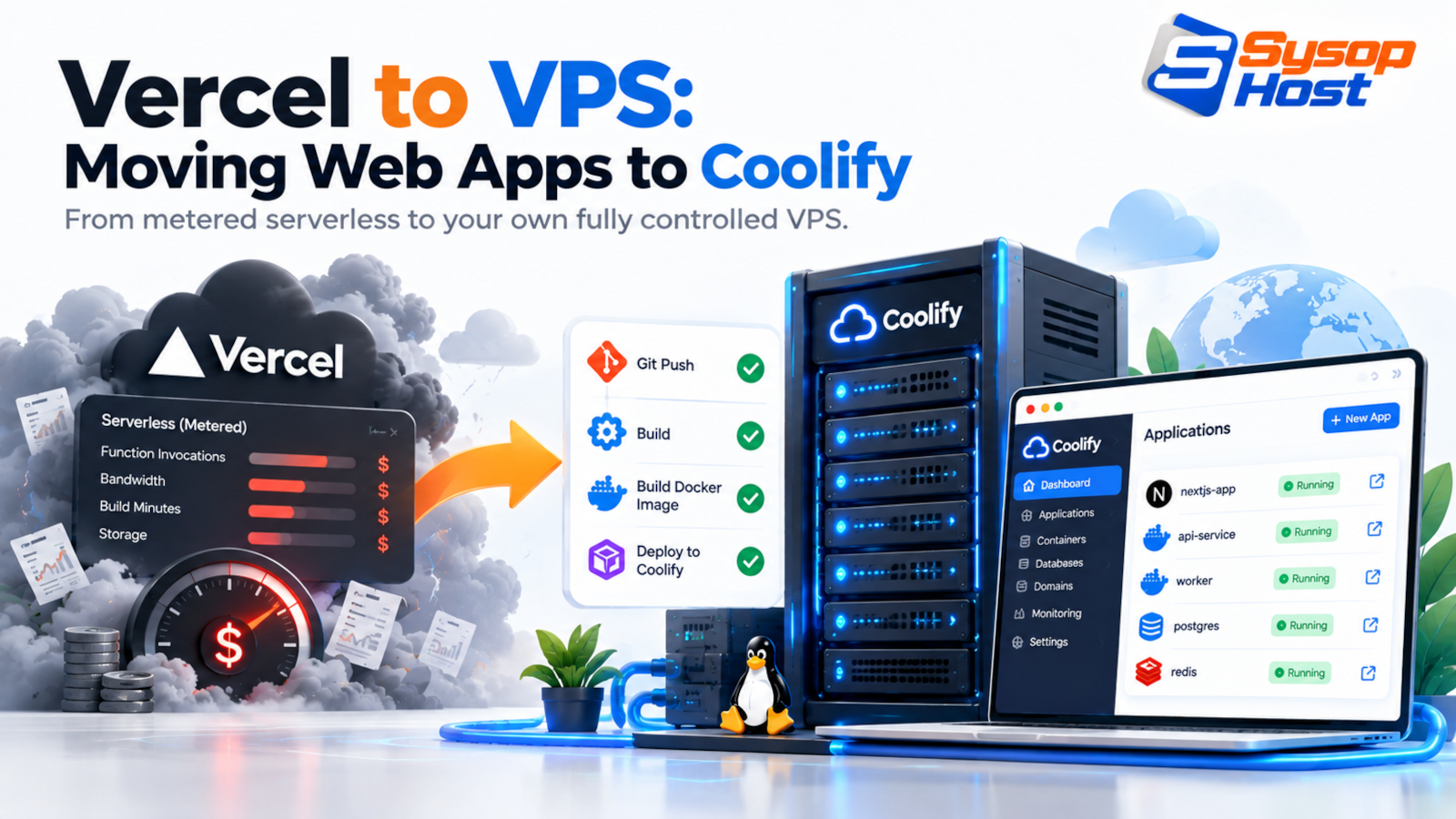
Serverless pricing is easy to start and hard to forecast. This guide walks a Next.js app from Vercel to a Linux VPS running Coolify, with the failure modes, the commands, the build and caching changes, and the cases where the move is a mistake.
The first invoice after a launch week is usually what ends the argument. A site that cost almost nothing in staging comes back with metered bandwidth, image transformations and two extra seats on it, and nobody can explain which line grew.
That is the usual starting point for a Vercel to VPS move. It is not nostalgia for racking servers. A VPS has one price, a known amount of RAM and no per-request meter.
This guide covers what a Vercel to VPS migration involves when the app is Next.js and the destination is a Linux box running Coolify. It also covers what breaks, and the cases where staying on Vercel is the cheaper decision. If you serve a static site with no server-side rendering, stop reading and move it with rsync this afternoon.
One clarification before the how-to. The Vercel to VPS question is rarely about hosting quality. Vercel's platform is good. The question is whether you want to pay per unit of traffic or per unit of machine, and whether anyone on your side can own a Linux box.
What metered hosting actually charges for
Vercel's published pricing meters several things separately: seats, data transfer, image transformations and compute time [1]. None of it is hidden, and the free tier is generous for a side project. The issue is that most of those lines move with traffic, which is the one variable a marketing team controls without asking engineering.
A product page that gets shared widely costs more than the same page in a quiet month. A catalogue that re-optimises every uploaded image costs more than one serving pre-sized files. A build that runs six times a day costs more than one that runs weekly. Each is defensible. Together they make your bill a function of your success, which is awkward to forecast and worse to explain to a finance team.
Then the behaviour changes. Someone starts watching the usage dashboard. Someone else lowers image quality or stretches a cache TTL to protect a number. Those are product decisions being made by a billing graph.
Four line items usually trigger the move:
Bandwidth. Every image, font, script and video is data transfer. A media-heavy store or a video-led landing page pushes far more of it than a text site, and the meter follows the traffic.
Image optimisation. Next.js
<Image />can route source images through the platform optimiser, which is billed as a separate usage line [1].Seats. Per-user pricing is fine for four developers and irritating for an agency that gives clients preview access.
Compute time. PDF generation, report exports and image processing all run against a time budget rather than a request count.
A VPS inverts the model. You pay for a machine, and the machine has a ceiling you can see. The ceiling is real: if traffic doubles past it, the site slows or falls over. You trade a bill spike for a capacity wall, which is the better trade when you can measure the wall and add to it.
What Coolify gives you
Coolify is an open-source control panel that turns a Linux server into a small platform. It watches a Git repository, builds a container with Nixpacks or your own Dockerfile, routes traffic through Traefik or Caddy, issues Let's Encrypt certificates, and gives you one place to set environment variables, databases and services [2].
What survives a Vercel to VPS move is the workflow. Push to a branch, watch a build, get a URL. Pull-request previews are configurable. Rollback is a button.
What does not survive is the managed part. Coolify manages containers, not your server. You still own OS patching, disk space, backups, the certificate that fails to renew at 2am, and the decision about how much RAM a build gets.
That is the whole trade, stated plainly. You buy operational work back from the vendor and pay for it with your own time.
The Vercel to VPS migration, in order
The move takes an afternoon for a small app and a week for one with a database, uploads and cron jobs. Do it in this order.
Provision a clean Ubuntu LTS instance with at least 2 vCPU and 4 GB RAM. Node builds are memory-hungry, and a 1 GB box will swap during a Next.js production build.
Harden it first: a non-root sudo user, key-only SSH, a firewall allowing 22, 80 and 443, and unattended security updates.
Install Coolify with the official script:
# Execute automated installation script
curl -fsSL https://cdn.coolify.io/coolify/install.sh | bash
Open http://your-server-ip:8000, create the admin account and connect the server. Set the domain and certificate first if you can, because that opening screen is plain HTTP.
Set standalone output so the build produces a self-contained server instead of expecting a platform runtime [3]:
// next.config.js
/** @type {import('next').NextConfig} */
const nextConfig = {
  output: 'standalone',
  // Enables optimal internal image optimization using Sharp
  images: {
    formats: ['image/avif', 'image/webp'],
  },
};

module.exports = nextConfig;
Lower the DNS TTL to 300 seconds at least 48 hours before cutover. Keep the Vercel deployment live until the new host answers correctly on a temporary domain.
Add the repository in Coolify, set every environment variable, set the production domain, deploy. The first build is always the slow one.
Verify before switching DNS: a health endpoint, an image that goes through the optimiser, a form submission, a redirect and a 404. Then flip the record.
Leave the old deployment running for a week. Rollback is a DNS change, and DNS changes are cheap.
What breaks after cutover
Image optimisation. The standalone optimiser needs
sharpand RAM. The first request for a large image is slow while the cache fills, and a small box struggles with concurrent transformations. Pre-size your largest assets.Builds versus runtime. A build on the same machine competes with live traffic for memory. Either leave headroom or build in CI and deploy an image. The supervisor and reverse-proxy layer underneath is the same one described in our Node.js deployment guide.
Previews. Pull-request previews need a wildcard DNS record. Without one you get one environment, not many.
Latency. One VPS is one region. If your customers sit on three continents, a single box is a downgrade from an edge network, and no cache fixes the speed of light.
Database connections. A long-lived Node process can hold a real pool, which is better than per-invocation connections [4]. It is only better if you configure the pool. Defaults will exhaust Postgres on a busy box.
Uploads. Anything written inside the container disappears on redeploy. Mount a volume [5] or move to object storage before the migration, not after.
Backups. Nobody is taking snapshots for you. Schedule them and test one restore.
The connection-pooling point deserves its own paragraph, because it is the one place where the VPS model is structurally better rather than merely cheaper. A persistent process opens a few connections and reuses them. An ephemeral function cannot, which is why serverless Postgres setups end up behind a proxy service with its own bill. The cutover playbook we use for provider moves is in cloud-to-cloud migration without downtime, and most of it applies to a Vercel to VPS cutover.
When staying on Vercel is the right answer
You need multi-region execution for latency, not for cost.
You run twenty dormant prototypes. Scale-to-zero is free; a VPS is not.
Nobody wants to own a Linux box, and the saving is smaller than the cost of hiring someone who does.
You depend on platform features: edge middleware, a global incremental cache, an image CDN, preview comments for a large content team.
Procurement asks for certifications you cannot answer for a self-hosted box.
That last one is not a technical argument, but it decides more Vercel to VPS questions than any benchmark.
The cost comparison that survives scrutiny
Publishing a dollar table would be dishonest here, because the numbers depend on your traffic, your region and your contract. What is stable is the structure:
What you pay for | Managed platform | VPS with Coolify |
|---|---|---|
Traffic | Metered egress and requests | Included within the plan's bandwidth |
Builds | Metered build minutes | Your CPU, and your time |
Image optimisation | Metered transformations |
|
Database | Managed add-on | A container you back up |
Team access | Per seat | Per machine |
Failure mode | Bill spike | Capacity wall |
Recurring work | Close to zero | Patching, backups, monitoring |
Two rows decide most of these arguments. The failure mode decides whether you sleep. The recurring work decides whether the saving is real. A VPS that saves money on paper and costs a day of engineer time every month is not saving money. The FinOps habit of pricing engineer hours alongside infrastructure is the right lens here, and the cost optimisation guide covers it in more detail than a hosting article should.
The break-even sits somewhere around the point where one person spends more than a few hours a month on the box. Below that, the managed platform is fine. Above it, the arithmetic changes, and what changes it is headcount rather than hosting.
Where this leaves you
A Vercel to VPS move trades one kind of risk for another. You stop guessing at a bill and start watching a memory graph. For a team with one person who enjoys that graph, it is a good trade. For a team without one, it is how you end up paying for both.
Run the migration on staging first. Move one low-risk production site. Count the hours before you move the rest, because the second migration is cheaper than the first and the tenth is nearly free. If you want the container runtime without running the panel, Docker hosting is the middle option between a bare VPS and a managed platform.
Move when the numbers say move
Docker and Node.js workloads on SysopHost infrastructure, with the host and the runtime yours to configure.
See Docker hostingComments
No comments yet. Be the first to comment!