 Manpreet Singh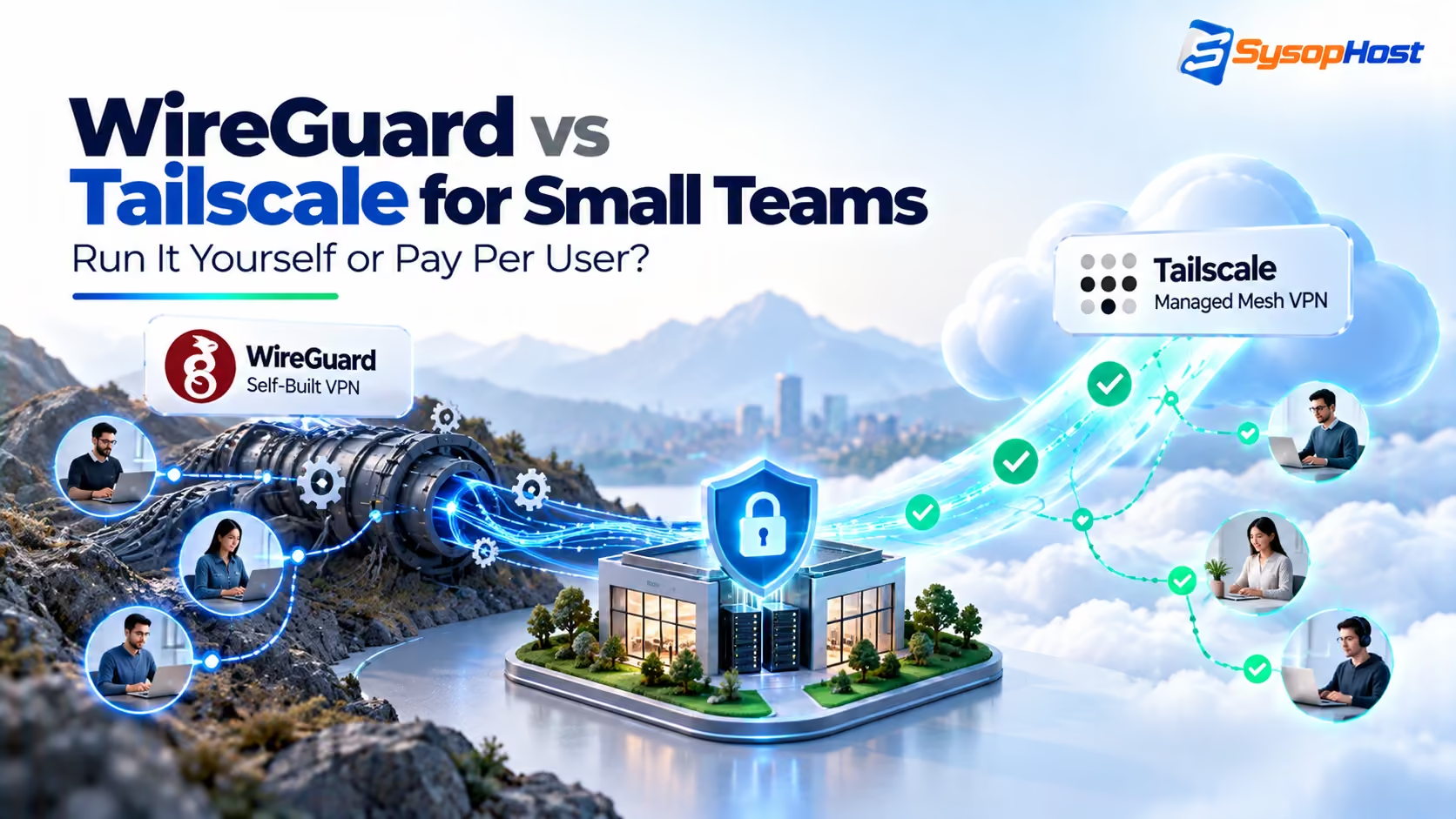
Remote staff, an office NAS, and a cloud VPS — how should a small team connect everything securely? This guide compares WireGuard's free self-hosted control with Tailscale's pay-per-user simplicity on cost, setup, performance, and privacy.
Your team is eight people. Half work remote, the office has a NAS with project files, the staging server sits on a VPS, and a contractor needs access for three weeks. Everyone is currently sharing files over email links and SSH-ing through hop boxes with shared keys. It works — until someone's laptop is stolen, or the contractor's access never gets revoked.
This is the exact moment small teams choose a VPN. And in 2026, the choice usually narrows to WireGuard vs Tailscale: the free, fast, do-it-yourself protocol, or the paid mesh service built on top of it. One gives you complete control; the other removes the work. Both encrypt well. The difference is who does the operating.
This guide compares them the way a small team should: real cost math, real setup effort, real performance numbers, and the privacy question nobody should skip — plus the middle paths (Headscale, NetBird) and a decision framework you can apply Monday morning.
Quick answer: Choose Tailscale if your team has no dedicated IT time — per-user pricing buys NAT traversal, SSO, ACLs, and admin that just works. Choose WireGuard if someone can own a $5/month VPS hub and config files — you get near-wire-speed performance with zero subscription. Privacy-sensitive teams can split the difference with Headscale or NetBird, open-source control planes you run yourself. Either way, your traffic is end-to-end encrypted; the decision is about operations, not cryptography.
Key takeaways:
Tailscale Personal is free to 6 users; paid plans run ~$8/user/mo Standard, ~$18 Premium — an 8-person team pays roughly $64/month before add-ons.
Plain WireGuard costs a small VPS plus your time — often under $10/month total — and saturates a gigabit link in practice. WireGuard's own published figures: ~1,011 Mbps on 1 Gbps, versus ~825–881 Mbps for IPsec and ~258 Mbps for OpenVPN (WireGuard itself labels those benchmarks dated — directional, not a shopping spec).
Tailscale's hosted control plane sees mesh metadata (devices, routes, policy), never your traffic contents — decide if that trade is acceptable before dismissing or adopting it.
Headscale lets you run the Tailscale control plane yourself, and NetBird offers a hosted free tier plus a self-hostable open-source mesh — two ways to keep the UX without the SaaS.
For most sub-15-person teams, the deciding factor is not speed or security — it is who revokes access at 9pm on a Friday.
How each one actually works
WireGuard is a VPN protocol, not a product. Less than 4,000 lines of code, modern cryptography (Noise protocol framework, ChaCha20, Curve25519), living in the Linux kernel. You generate keypairs, write a config file per peer listing allowed IPs and endpoints, and bring up the interface. There is no user directory, no NAT traversal magic, no central dashboard — every peer relationship is explicit configuration. That minimalism is why it is fast and auditable, and also why multi-device teams feel the friction: each laptop, phone, and server is manual key management plus firewall rules, and roaming peers behind NAT need a reachable rendezvous point.
Tailscale is a mesh network product built on WireGuard's protocol. A hosted coordination server exchanges keys and topology, clients punch through NAT automatically, and you manage everything — users, devices, access rules (ACLs/grants), exit nodes, subnet routes, MagicDNS names — from an admin console with SSO login. One boundary to keep straight: SSO, SCIM provisioning, and device-posture integrations are paid-tier features (Standard $8/user/mo and up), not part of the free Personal plan — so a six-person team on the free tier is managing users by hand, not by identity provider. Your data still flows peer-to-peer over WireGuard encryption; the control plane brokers the introduction but does not proxy the conversation (relays exist only as fallback). You trade a subscription and metadata visibility for the elimination of config-file operations.
Headscale is the third option: an independent, BSD-3-Clause-licensed Go project that reimplements Tailscale's coordination server from scratch. That distinction matters — it is an independent reimplementation of the protocol, not a fork of Tailscale's server, which is not open source. You run the control plane on your own VPS; standard Tailscale clients connect to it by pointing at your URL. Same client UX, no SaaS metadata, but you operate the server, updates, and backups yourself. Two honest caveats before you commit: Headscale's own documentation scopes it to a single tailnet aimed at hobbyists and small open-source organisations, and it tracks upstream features from behind, so expect a tail of missing functionality. Docker is also community-supported rather than officially supported — their official install path is binaries or DEB packages.
NetBird is the fourth name, and the one most self-hosting write-ups skip. It is open source and WireGuard-based like Headscale, but it ships a complete mesh product — its own control plane, its own clients, access controls, network routes, and device posture checks — rather than a Tailscale-compatible server. It also has a hosted free tier covering up to 5 users and 100 machines with social SSO, MFA, and community support, which makes it the cheapest way to get managed-mesh ergonomics without paying Tailscale's rates; paid cloud tiers start around €6 per user per month (note: euros), and a self-hosted distribution is available when you want the control plane on your own iron. The trade-off to be clear about: because NetBird is its own product rather than a Tailscale-compatible one, it is not a drop-in home for people who already run Tailscale clients.
Head-to-head comparison
Dimension | Plain WireGuard | Tailscale (hosted) | Headscale (self-hosted control) |
|---|---|---|---|
License/cost | Free forever; ~$5/mo VPS hub typical | Personal free ≤6 users; Standard ~$8/user/mo; Premium ~$18 | Free software; your VPS + your time |
8-person cost example | ~$5–10/mo infra | ~$64/mo Standard (verify current pricing) | ~$5–10/mo infra |
Setup effort | Hours: keys, configs, firewall, DNS per peer | Minutes: install, SSO login, auto-join | Middle: deploy server, then Tailscale-easy clients |
NAT traversal | Manual (public hub/peer needed) | Automatic (plus DERP relays) | Automatic via your server |
User management | Files and keys by hand | SSO + SCIM (Standard tier and up), device approval, offboarding clicks | Manual user/device provisioning |
Access control | Firewall rules per peer | ACL policies, subnet routes, exit nodes, device posture | ACLs in config file |
Performance | ~1,011 Mbps published on 1 Gbps; saturates gigabit links in practice | Same WireGuard data path (userspace | Same as Tailscale direct |
Control-plane privacy | Nothing to share — no control plane | SaaS sees mesh metadata, not traffic contents | Metadata stays on your server |
Maintenance | You patch, rotate keys, monitor | Vendor operates control plane; you manage policy | You operate control plane + policy |
Best for | Technical teams with infra time | Teams buying back admin hours | Privacy-first teams with ops capacity |
Also consider | — | — | NetBird: free hosted tier (5 users), open source, self-hostable |
Performance deserves a nuance. WireGuard's own published benchmark puts it at ~1,011 Mbps on a gigabit link with 0.403 ms of added latency, ahead of IPsec (825–881 Mbps) and OpenVPN (~258 Mbps, 1.541 ms added latency). WireGuard itself calls those numbers "old, crusty, and not super well conducted," so treat them as directional rather than a spec sheet — the practical rule on current hardware is that WireGuard is rarely the bottleneck on a 1 Gbps link. Tailscale direct connections use the same protocol for the data path, so throughput is in the same league; the gap appears only when peers cannot reach each other directly and fall back to relays. And that gap is now closable on your own terms: Tailscale Peer Relays went generally available in February 2026, letting you run a relay node on your own hardware instead of relying solely on Tailscale's DERP fleet.
What happens when the control plane goes down
Nobody asks this in a demo, and everybody asks it after the first outage, so it is worth pre-empting.
The asymmetry runs in the mesh's favor. In plain WireGuard your hub is a single point of failure: if that VPS dies or its firewall changes, every peer loses its rendezvous point and nobody works. In a Tailscale or Headscale mesh, the coordination server only brokers introductions — packets flow peer-to-peer. If the coordination service has a bad day, existing peer connections generally keep working; what breaks is new device joins and policy changes. The worst case looks like "nobody new can get in" rather than "nobody can reach the NAS."
Two caveats keep that honest. Peers that can only reach each other through a relay need that relay alive, which is the argument for self-hosting one. And your mesh users still need internet and a working client — the control plane being healthy does not help someone on a dead hotel Wi-Fi. For the WireGuard path the mitigations are the boring ones: a monitored hub, a documented failover, and config backups you have actually restored once.
The cost math for a small team
Run your own numbers with this model — list pricing shifts, so verify at purchase:
WireGuard DIY: one hub VPS (~$5/mo) + your setup time (4–12 hours first build, ~1 hour/month upkeep) + on-call burden when it breaks. Cash cost trivial; labor cost real. At a fully-loaded $75/hour, first-year labor alone exceeds a year of Tailscale Standard for most teams — which is exactly the trade to evaluate honestly.
Tailscale Standard:
$8 × users monthly. Eight people ≈ $64/mo ≈ $770/year, zero hub to maintain, offboarding in clicks. Premium ($18/user) adds compliance and posture features small teams rarely need on day one.Headscale: VPS cost plus meaningful setup and ongoing ops — cheapest in cash, most expensive in attention. Worth it when data-sovereignty or policy forbids SaaS control planes, not as a way to save $60/month.
The breakeven question is never "which is cheaper in cash" — WireGuard always wins that. It is "what is an hour of our infra-capable person's time worth, and do we have on-call coverage?" Teams that answer "we have no such person" have already decided: pay per user.
Privacy and trust: what each party actually sees
Get this precise, because FUD thrives here:
WireGuard DIY: nobody but you holds anything. Keys, topology, and logs live on machines you control. Maximum sovereignty, and maximum responsibility when something leaks.
Tailscale hosted: the control plane knows your mesh — device identities, public keys, routes, ACL policy, connection metadata. It does not see traffic contents: payload encryption is end-to-end between peers. The Tailscale client is mostly open source (
github.com/tailscale/tailscale) and you can run your own relay, but the coordination SaaS remains a trust point. For most small businesses this is an acceptable trade; for regulated data or strict sovereignty policies, it may not be.Headscale: metadata stays on your server. You inherit the operational duties (hardening, patching, backups, availability) that the SaaS previously absorbed.
Threat-model honestly: a stolen laptop with cached credentials harms you under every option — which is why SSO enforcement, device approval, key expiry, and fast offboarding matter more than the protocol logo.
Common small-team topologies that work
Remote workers + office NAS: Tailscale with one always-on subnet router at the office (a mini-PC or router running the client) exposes the NAS by tailored ACL — no port forwarding, no exposed SMB. WireGuard equivalent: hub VPS with office site-to-site tunnel plus per-laptop configs; fine, but every new hire is manual work.
Dev team + staging VPS: either option shines. Tailscale: staging box joins the tailnet, ACLs restrict who reaches ports 22/443/3000, ephemeral contractor nodes auto-expire. WireGuard: add contractor keys with narrow AllowedIPs, calendar a revocation reminder — and actually revoke. One limit to check if you automate: the Personal and Standard plans both include 1,000 minutes of ephemeral-resource usage per month. That is generous for laptops and a staging box, and startling if you wire Tailscale into CI runners or Kubernetes pods — that workload either buys Premium's 10,000 minutes or stays off the tailnet.
Contractor access: this is Tailscale's best demo — invite identity, scoped ACL, expiry date, one-click removal. On WireGuard, achieve the same with short-lived keys and a documented offboarding checklist; the mechanism differs, the discipline is identical.
Site-to-site (office ↔ cloud): WireGuard tunnels between gateways remain the cost champion for stable links. Tailscale subnet routing achieves the same with less firewall fiddling and per-user policy on top.
Setting up: what "done" looks like for each path
WireGuard minimal path (Ubuntu/Debian hub + peers): install wireguard, generate keypairs per device, write hub config with each peer's public key and AllowedIPs, open UDP 51820, enable IP forwarding for site routes, distribute peer configs over a secure channel (never email keys in bulk), set DNS, test from an external network, then document the add/remove-peer runbook. Budget an afternoon the first time, an hour per change after — plus monitoring so you notice when the hub, not the internet, is down.
# On the hub VPS (Ubuntu/Debian)
sudo apt update && sudo apt install -y wireguard qrencode
umask 077
wg genkey | tee hub.key | wg pubkey > hub.pub     # one keypair per device, on that device
# after writing /etc/wireguard/wg0.conf (below):  sudo wg-quick up wg0
# /etc/wireguard/wg0.conf — the hub
[Interface]
PrivateKey = <contents of hub.key>
Address = 10.200.0.1/32
ListenPort = 51820
SaveConfig = false
PostUp = iptables -A FORWARD -i wg0 -j ACCEPT; iptables -t nat -A POSTROUTING -o eth0 -j MASQUERADE
PostDown = iptables -D FORWARD -i wg0 -j ACCEPT; iptables -t nat -D POSTROUTING -o eth0 -j MASQUERADE
# Alice's laptop — only her one VPN address
[Peer]
PublicKey = <alice's public key>
AllowedIPs = 10.200.0.2/32
# Office router — the whole office subnet is reachable *through* this peer
[Peer]
PublicKey = <office router's public key>
AllowedIPs = 10.201.0.0/24# alice-laptop.conf — hand to Alice over a secure channel, never by bulk email
[Interface]
PrivateKey = <alice's private key>
Address = 10.200.0.2/32
DNS = 10.200.0.1
[Peer]
PublicKey = <contents of hub.pub>
Endpoint = vpn.example.com:51820
AllowedIPs = 10.200.0.0/16 # split tunnel: VPN ranges only, not the whole internet
PersistentKeepalive = 25 # keeps NAT mappings open for roaming peersThree details that bite in practice. AllowedIPs on the peer is a routing statement, not a filter — it decides which destinations are routed into the tunnel, so 0.0.0.0/0 makes the hub an exit node. Adding a device means editing the hub, restarting it, and distributing a config — which is why offboarding discipline matters more here than any command. And for phones, qrencode -t ansiutf8 < alice-laptop.conf beats typing keys by hand.
Tailscale minimal path: create the account, enforce SSO and device approval, install clients, define a first ACL (default-deny plus named allowances beats allow-all), designate exit nodes and subnet routers explicitly, set key expiry and review the device list monthly. Budget under an hour — then spend the saved afternoon writing the ACL properly, because flat allow-all tailnets are the new flat office LAN.
Headscale minimal path: deploy the server (official binaries or DEB packages; Docker is community-supported) behind TLS, wire OIDC/SSO, enroll clients against your URL, replicate your ACL policy as code, and put the server itself under backup and monitoring. Expect WireGuard-like effort for the server plus Tailscale-like ease for every client after. Version discipline matters here — Headscale's upgrade guide asks you not to skip minor versions, so the server needs to be on someone's update calendar, not just a cron job you set up in March and never looked at again.
Whichever path: enable unattended security updates on every node, rotate keys on team changes, and test access from a phone hotspot — office-WiFi-only testing hides NAT and DNS sins.
Security practices that matter more than the product
Default-deny ACLs/firewall rules; name every allowance with an owner and reason
SSO with MFA enforced; no shared credentials, ever
Device approval for new joins; auto-expiry for contractor nodes
Separate subnets/ACL groups for staff, contractors, servers, and IoT
No management interfaces (NAS admin, server SSH, router UI) reachable without the VPN
Log joins, leaves, and ACL changes; review monthly
Rotate keys on departure; audit the device list quarterly
Back up hub/gateway configs — the VPN is now critical infrastructure
Decision framework: answer five questions
Who owns it? Nobody with Linux/firewall time → Tailscale. Someone who enjoys this → WireGuard or Headscale.
How often does the team change? Frequent contractors and onboarding → Tailscale's identity model pays for itself.
What does policy allow? SaaS control plane forbidden → Headscale, NetBird self-hosted, or plain WireGuard — no debate.
How many sites? One VPS + laptops → anything works. Multiple offices + cloud → value Tailscale routing or invest in proper WireGuard site-to-site.
What is downtime worth? A mesh survives coordination outages better than a WireGuard hub survives its own, but if nobody can fix a dead hub at 9pm, pay for the managed control plane and keep a documented break-glass path.
Most teams under fifteen with mixed technical levels land on Tailscale Standard; technical teams with stable membership and infra habits land on WireGuard; regulated or sovereignty-driven teams land on Headscale; and small teams that want open source without operating a control plane land on NetBird's free hosted tier. All four are defensible — "shared SSH keys and exposed ports" is the only wrong answer.
Migrating later is normal
Choices are not permanent. Common paths: start on Tailscale, migrate to Headscale when policy tightens (same clients, new control URL); start on WireGuard, add Tailscale for contractors while keeping site-to-site tunnels; run both, with WireGuard for gateways and Tailscale for people; or start on NetBird's free hosted tier and self-host it later if you outgrow the caps. Design addressing and DNS so either underlay can change — MagicDNS or split-horizon names beat hardcoded IPs everywhere.
Conclusion and next step
WireGuard gave the world a fast, simple, free tunnel. Tailscale turned it into a team product. Headscale and NetBird keep that team product open. For a small team, the right question was never "which encrypts better" — all four encrypt excellently — but "who operates the boring parts, and what does that cost us?"
Pick the one whose failure mode you can handle, lock it down with default-deny policy, and move on to building your business.
Need the hub to live somewhere reliable? A small VPS makes a fine WireGuard hub or Headscale server — static IP, automated backups, and firewall defaults included. Bring your device list and we'll help you size it.
Need a home for your VPN hub?
Get a right-sized VPS with static IP, backups, and firewall defaults — for WireGuard or Headscale.
Size My VPN VPSComments
No comments yet. Be the first to comment!