 Arjun Mehta
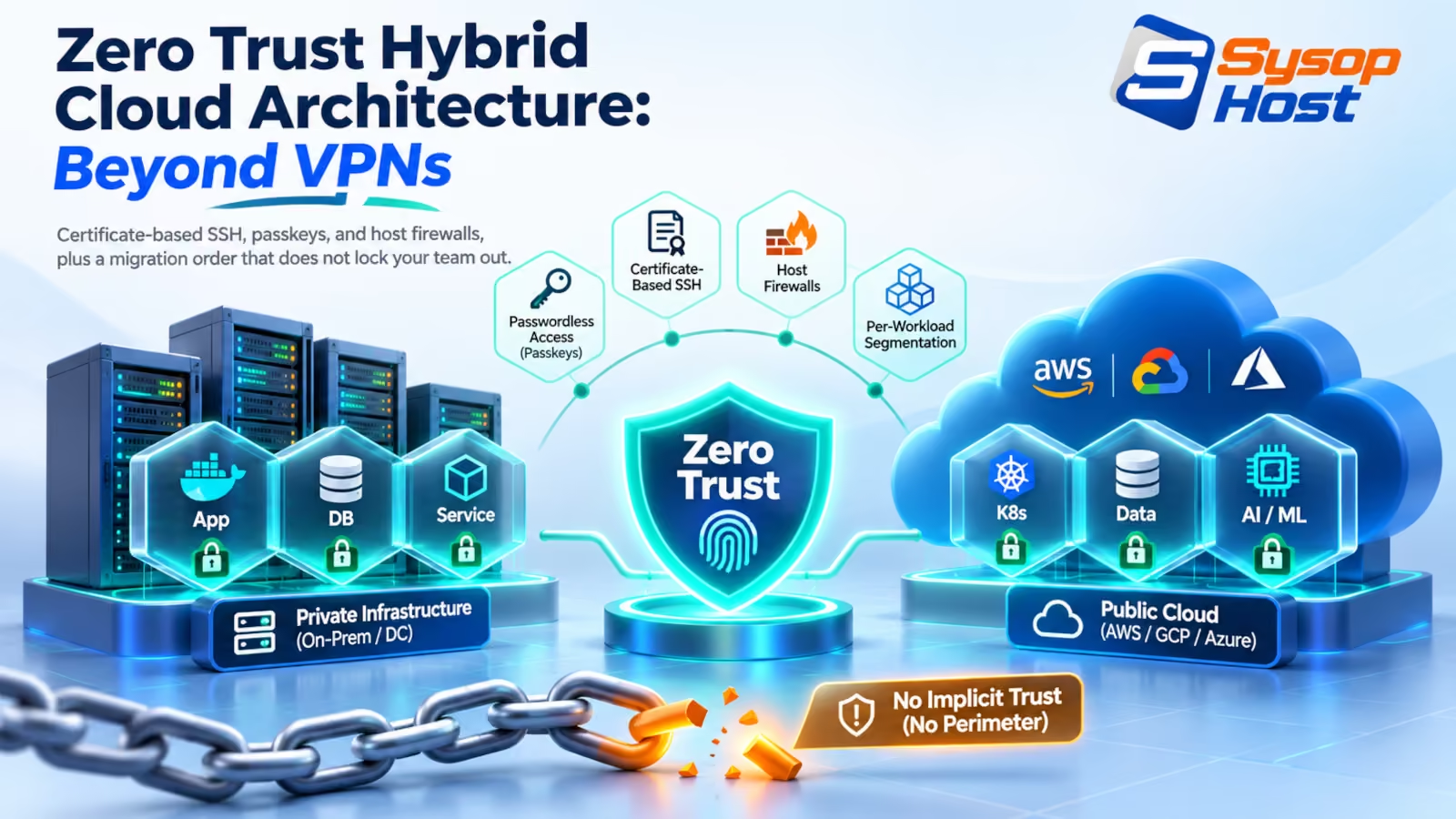
A stolen laptop should cost you a device, not a network. This walks through the parts of a zero trust hybrid cloud architecture that actually change the blast radius: certificate-based SSH, origin-bound passkeys, host-level segmentation, and an order of work that never locks your own team out.
A laptop disappears from a café table. On it sits a VPN profile, a live session cookie, and an SSH key that has been in ~/.ssh since the employee joined. Under a perimeter model that laptop is now an insider: it gets an address on the internal subnet, a route table, and permission to knock on every port between the load balancer and the payroll database.
Zero trust hybrid cloud architecture is the decision to stop shipping that much trust along with the hardware. Access gets granted per session, to one resource, for a fixed time, and it is re-checked while it is in use. Everything below follows from that one sentence.
It is also where most zero trust projects stall. The licence gets bought, the flat network stays, and the dashboard becomes the strategy.
A VPN hands out more trust than anyone intended
The original design was reasonable. You had one building, one network, and one gateway. Authenticate at the gateway, and the routing table does the rest. That model survived because the thing behind the gateway was a single trusted estate.
Hybrid changes the shape of the estate without changing the gateway. A workload now runs on a VPS with a public IPv4 address, a database runs in another provider's private subnet, and a contractor connects from a laptop on hotel Wi-Fi. The VPN still answers the same question it always did: is this person allowed in? It has no opinion about which of the forty internal services they should reach, because in the old design that question never came up.
Three failures follow.
The first is credential replay. A VPN login is a decision that produces a long-lived token. Steal the token, and the decision is replayed from anywhere. Adversary-in-the-middle kits that proxy a real login page and hand the victim a working session exist as commodity tooling, and no amount of user training changes what the server sees.
The second is a flat route table. Once inside, an attacker scans. Nothing in a default VPN profile stops a compromised marketing laptop from opening a connection to a Postgres port on a production host, because the network was built to allow exactly that.
The third is the concentrator itself. It has to answer on the public internet, which makes it a login page for everyone on the planet. Patching it becomes a permanent obligation with no graceful failure mode.
None of this makes VPNs useless. They are coarse. Coarse is fine for a single office and wrong for a mixed estate.
NIST's model, mapped to things you already run
NIST SP 800-207 describes zero trust as a set of components rather than a product: a policy engine that decides, a policy administrator that acts on the decision, and policy enforcement points that sit in front of each resource [1]. The tenets are plain. Every resource is reachable only through an enforcement point. Every session is authorised on its own merits. Network location earns nothing.
That maps onto tooling most teams already pay for:
NIST component | What it does | What you deploy | If it is missing |
|---|---|---|---|
Policy engine | Decides whether this identity, on this device, gets this resource | Identity provider with device posture data | Access decisions freeze at "logged in", which is where you started |
Policy administrator | Turns a decision into a credential or a tunnel | SSH certificate authority, tunnel broker | Decisions stay advisory; nothing enforces them |
Enforcement point | Sits in front of the workload | sshd with a trusted CA, host firewall, mesh overlay | One compromised host sees everything |
Telemetry | Feeds observed state back into the decision | Auth logs, kernel events, flow logs | You cannot tell a bad decision from a good one |
Read the table left to right and the migration order writes itself. The identity provider is where the decision lives, so it gets fixed first. Enforcement points come next, because they are what turn a policy document into a port that refuses connections.
Replace authorized_keys with a certificate authority
Copying public keys into ~/.ssh/authorized_keys across a fleet is the anti-pattern zero trust is meant to remove. Revoking a leaver means editing files on machines you may not remember owning.
A certificate authority inverts that. Servers trust one CA key. Users get a certificate, valid for hours, carrying their identity and the roles they may assume. When the certificate expires, access ends without anyone touching the server.
On the host, the configuration is short:
# /etc/ssh/sshd_config.d/10-ca.conf
TrustedUserCAKeys /etc/ssh/ca.pub
AuthorizedPrincipalsFile /etc/ssh/principals/%u
TrustedUserCAKeys is the whole trust anchor. AuthorizedPrincipalsFile maps the principals inside a certificate to the account that may log in, which is how you avoid a CA that can mint root on every box [2].
Issuing a certificate looks like this:
# Sign a user key for eight hours, with one principal
ssh-keygen -s /etc/ssh/ca \
  -I [email protected] \
  -n ops-admin \
  -V +8h \
  /tmp/id_ed25519.pub

# Inspect what you just signed
ssh-keygen -Lf /tmp/id_ed25519-cert.pub
The inspection output is the part worth showing to a sceptical manager:
/tmp/id_ed25519-cert.pub:
        Type: [email protected] user certificate
        Key ID: "[email protected]"
        Valid: from 2026-10-22T08:00:00 to 2026-10-22T16:00:00
        Principals:
                ops-admin
        Critical Options: (none)
The -L output is the audit trail: key ID, principals, and a validity window you can read without grepping a config file [5].
Two operational details make the difference between a working CA and a lockout. Validate before you reload, with sshd -t and then sshd -T | grep -i trustedusercakeys, and keep one existing session open while you test a fresh login from a second terminal. If the CA path is wrong, the open session is your way back in.
Also set AuthenticationMethods publickey and PasswordAuthentication no only after certificate login has worked twice from two different machines. Order matters more than speed here.
Passkeys fix phishing, and stop there
FIDO2 credentials are bound to an origin by the browser and the authenticator, per the WebAuthn specification [3]. A credential registered for https://sso.example.com will not sign a challenge from https://sso-example-login.com, because the origin is part of what gets signed. That single property removes the entire reverse-proxy phishing playbook, including the session-relay tricks that defeat TOTP.
What passkeys do not fix is everything downstream of a successful login. If the laptop is already compromised when the user authenticates, the attacker inherits the session. If an internal app issues a bearer token with a thirty-day lifetime, the passkey protected the door and not the hallway.
So pair the passkey with two other controls: short session lifetimes on internal applications, and a device signal in the access decision. Device posture is where endpoint tooling earns its place, and the honest version of that argument is in our guide to EDR, XDR, and MDR models. If you want the managed version of the same control, endpoint protection is the service wrapper around it.
One trade-off worth stating plainly. Hardware keys cost money, get lost, and need a recovery path that does not quietly reintroduce SMS. Budget two keys per administrator and write the recovery procedure before the first rollout, not after the first lost token.
Put a wall between the app tier and the database
Segmentation is the control that limits what a compromised host can reach, and it does not require a network rebuild. Two layers cover most hybrid estates.
The first is an overlay network so that administrative and service traffic never touches a public port. WireGuard is a reasonable default because it is small, it is in the mainline kernel, and its configuration is a handful of keys rather than a protocol negotiation [4]. Your nodes dial out to each other; nothing listens on the internet.
The second is a host firewall that treats the overlay as a transport, not as a permission slip. On a database node:
table inet filter {
    chain input {
        type filter hook input priority 0; policy drop;

        iif "lo" accept
        ct state established,related accept

        # Postgres, only from the application host's overlay address
        ip saddr 100.64.0.15 tcp dport 5432 accept

        # SSH over the overlay only, never from the public interface
        iifname "wg0" tcp dport 22 accept

        counter drop
    }
}
The counter drop at the end is not decoration. It gives you a per-rule packet count, which is the cheapest intrusion signal you will ever deploy: a database node dropping inbound 5432 from anything other than one address is a graph that should be flat.
The limitation: an allow-list keyed on overlay IPs is still IP trust. It survives a compromised application host, which is usually the threat you care about, and it does not survive a compromised overlay key. For the second case you need per-workload identity, either mutual TLS with short-lived certificates or an authorisation layer that checks the calling service rather than its address.
If you are choosing between running your own mesh and paying for a managed one, the cost and operational trade-offs are covered in WireGuard vs Tailscale for small teams. The short version: self-hosting is cheap in licence cost and expensive in key distribution.
Move in an order that never locks you out
The failure mode of a zero trust migration is not a breach. It is a Tuesday afternoon when nobody can reach production and the person who understands the CA is on a plane.
Sequence the work so each step is reversible and each step reduces trust:
Order | Change | What breaks if you rush it | Rollback |
|---|---|---|---|
1 | Passkeys on the identity provider, passwords still allowed | Nothing; this step is additive | Disable the policy |
2 | SSH CA issuing certificates, | Nothing; both paths work | Leave the CA running, do not enforce |
3 | Remove password auth, require certificates, keep one break-glass key in a sealed store | Automation that logs in with a password | Restore the drop-in, reload sshd |
4 | Overlay network for admin access, close public 22 | Monitoring that polls over SSH on port 22 | Reopen the port for one source address |
5 | Host firewalls restricting service-to-service traffic | Batch jobs with undocumented dependencies | Remove the specific rule |
6 | Decommission the VPN concentrator | Nothing, if steps 4 and 5 were finished | You kept the config; re-enable it |
Step 5 is where most teams discover they have undocumented dependencies. Run the firewall in logging mode for a week before you enforce, and read the drops. It is boring work that prevents a weekend outage.
Step 3 is where secrets hygiene matters, because removing password auth tends to expose every script that was quietly logging in as a shared user. If your deployment pipeline still carries long-lived credentials, fix that before you harden SSH, and the production guardrails for AI-built apps post covers the pattern for teams shipping fast.
What to measure afterwards
Zero trust is not a state you reach. It is a set of decisions you can audit. Four numbers tell you whether the architecture is real.
Time to revoke. How long from "this person is gone" to "their last credential stops working"? With an eight-hour certificate, the answer is bounded. With an
authorized_keysfile, it is a guess.Certificate issuance by principal. A jump in
ops-admincertificates issued at odd hours is a better signal than a failed-login spike.Firewall drops per service pair. Flat is normal. A new edge appearing is worth a look.
Public admin ports. Count listening ports on 22, 3389, and 5432 across your inventory. The number should be zero, and it should stay zero after the next deployment.
Keep the audit trail somewhere you can query it at speed, which is a monitoring problem rather than a security-tooling problem; our monitoring service covers the always-on side of that.
The honest summary: this is more work than buying a ZTNA appliance, and it is less work than explaining a flat-network breach. Start with the identity provider, then certificates, then segmentation. Skip the diagram and the maturity assessment until the ports are actually closed.
Run your identity gateways on infrastructure you control.
SysopHost cloud VPS and dedicated servers give you the private networking, root access, and stable throughput that a certificate authority and overlay network need.
See cloud hosting plansComments
No comments yet. Be the first to comment!